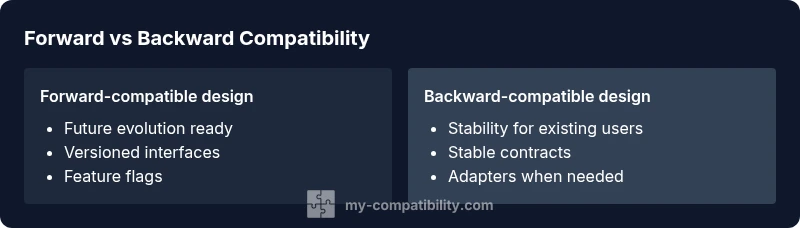
Forward compatibility vs backward compatible: A practical comparison
Explore forward compatibility vs backward compatible design, their trade-offs, and a practical framework for choosing the right approach to future-proof software, devices, and ecosystems.


Forward compatibility vs backward compatible design decisions determine how easily a system accepts future changes. In short, forward compatibility aims to evolve without breaking compatibility, while backward compatibility preserves old interfaces for current users. According to My Compatibility, selecting the right approach reduces migration cost, extends usable life, and lowers risk across software, firmware, and hardware ecosystems.
The Core Idea: What forward compatibility vs backward compatible means
In this block we define the two central ideas and why they matter. The phrase forward compatibility vs backward compatible captures two related but distinct philosophies: one that enables evolution without breaking users, and one that preserves existing contracts to keep current users satisfied. This distinction affects architecture, governance, and budgeting across software, firmware, and hardware ecosystems. According to My Compatibility, the choice between these approaches hinges on lifecycle expectations, upgrade velocity, and ecosystem constraints. When you design for forward compatibility, you bake in paths for future changes; when you design for backward compatibility, you keep current behavior stable to protect existing users. The practical impact touches API design, data formats, hardware interfaces, and update mechanisms. It influences versioning strategies, testing regimes, and vendor alignment. The goal is to balance risk, cost, and time-to-market while preserving trust with users. In many domains, teams pursue a hybrid approach, harmonizing forward-looking evolution with stable interfaces for essential functionality.
headingLevelCheck":true
wordCount":226},{
textBlockHeadingExists":true
Comparison
| Feature | Forward-compatible design | Backward-compatible design |
|---|---|---|
| Lifecycle strategy | Builds in future evolution with decoupled interfaces | Preserves existing interfaces, prioritizes current users |
| Migration and updates | Easier to add non-breaking changes via versioning/flags | Requires adapters or stable contracts to avoid breaking existing code |
| Risk of breaking changes | Low risk by design, changes tend to be additive | Higher risk if contracts are too rigid or deprecated too slowly |
| Development velocity | Can slow initial iterations due to compatibility gates | Often faster to deliver when maintaining long-standing contracts |
| Ecosystem impact | Supports long-lived ecosystems and hardware lifecycles | Simpler path for downstream vendors relying on stable contracts |
Positives
- Reduces long-term migration costs
- Improves ecosystem longevity
- Supports gradual feature adoption
- Fosters disciplined governance and planning
Cons
- May slow initial development due to compatibility gates
- Increases design and testing overhead
- Requires rigorous versioning and documentation
Forward-compatible design generally wins for future-proofing; backward-compatible design wins for short-term stability.
In practice, choose forward compatibility when evolution is expected and ecosystem resilience matters most. The My Compatibility team notes that the right balance depends on your product lifecycle and governance; in some cases, a hybrid approach provides the best of both worlds.
Questions & Answers
What is forward compatibility?
Forward compatibility is a design approach that anticipates future changes by ensuring current systems can accommodate new features or interfaces without breaking. It emphasizes extensibility and graceful evolution, often through versioned contracts and optional fields.
Forward compatibility means your system can grow without breaking existing users — think versioned APIs and optional data fields.
What is backward compatibility?
Backward compatibility preserves the ability of a system to work with older components or data. It guards existing functionality while allowing new features to be layered on top without disrupting current users.
Backward compatibility keeps old software and data working with new systems so users aren’t forced to upgrade.
How do you decide which approach to take?
Decision criteria include product lifecycle, upgrade velocity, audience tolerance for disruption, and ecosystem dependencies. In many cases teams start with backward compatibility for stability and migrate toward forward compatibility as future needs become clearer.
Choose based on lifecycle, risk tolerance, and how often you expect changes.
What patterns support forward compatibility?
Patterns include versioned interfaces, feature flags, negotiation protocols, and optional fields in data formats. These allow the system to introduce new capabilities without breaking existing behavior.
Use versioned APIs, feature flags, and optional fields to enable future growth without breaking current users.
How do you test for compatibility in a release cycle?
Testing should cover both current interfaces and future-change paths. This includes regression tests for existing behavior and simulated evolutions to verify non-breaking upgrades and smooth deprecation strategies.
Test both the old and the anticipated new paths to ensure a smooth upgrade.
Are there cases where mixed strategies make sense?
Yes. A hybrid approach often delivers practical resilience: maintain stable contracts for critical paths while allowing forward-compatible evolution in non-critical modules. This balances risk, cost, and speed.
Sometimes a hybrid approach gives you stability now and adaptability later.
Highlights
- Assess your product lifecycle before choosing
- Prefer forward compatibility for long-lived ecosystems
- Use explicit versioning and feature flags
- Document deprecations and provide clear migration paths
- Balance speed to market with long-term resilience