Dolby Atmos Compatible Soundbar: A Practical Guide to Immersive Audio
Detailed guide to selecting and setting up a dolby atmos compatible soundbar, covering HDMI eARC, app support, room placement, and practical setup tips for authentic immersive audio.


The dolby atmos compatible soundbar delivers immersive, room-filling audio by supporting object-based sound through Dolby Atmos and HDMI eARC. To ensure compatibility, verify that your source device supports ARC/eARC, that your TV has an eARC port, and that the soundbar can decode Atmos via connected apps or HDMI. For the strongest performance, pair with a compatible subwoofer and optional height speakers.
What is Dolby Atmos and Why It Matters for Soundbars
Dolby Atmos is a three-dimensional audio format that adds height channels and object-based sound to traditional surround configurations. In a dolby atmos compatible soundbar, upward-firing drivers or ceiling speakers create a sense of space above your listening position, letting sounds travel around you with greater precision. This technology improves realism for movies, games, and some high-fidelity music tracks. Content providers including major streaming platforms offer Atmos-enabled tracks, but your experience hinges on both the soundbar hardware and how you connect it to your TV. For many households, Atmos shines when you pair the bar with a compatible subwoofer and, if space allows, additional rear speakers. According to My Compatibility, aligning the room, source devices, and the soundbar setup is essential for consistent Atmos performance across content.
To start, identify your primary use case—movies, gaming, or music—since the emphasis on object-based effects can vary. In practice, a dolby atmos compatible soundbar will deliver clearer dialogue, more immersive ambient sounds, and a sense of enveloping space that isn’t present with standard virtual surround.
How to Check Dolby Atmos Compatibility in a Soundbar
Begin with the box and product specs. Look for explicit mentions of Dolby Atmos and up-firing drivers. Check that the soundbar has an HDMI eARC port, not just HDMI ARC, and that your TV supports eARC as well. If you plan to stream Atmos content, confirm that the soundbar can decode Atmos from apps like Netflix or Disney+. Some models require firmware updates to enable Atmos mapping. Finally, verify that your room layout and speaker placement can support height or up-firing cues, which are crucial to a believable Atmos experience.
A practical checklist:
- Confirm Atmos support on the product page and packaging.
- Ensure HDMI eARC is available on both TV and soundbar.
- Check for any required firmware updates.
- Test with Atmos-enabled content and adjust audio modes to “Dolby Atmos” or “Auto” if available.
- Plan for placement of the soundbar and subwoofer to optimize vertical sound cues.
Key Features That Define Atmos Performance
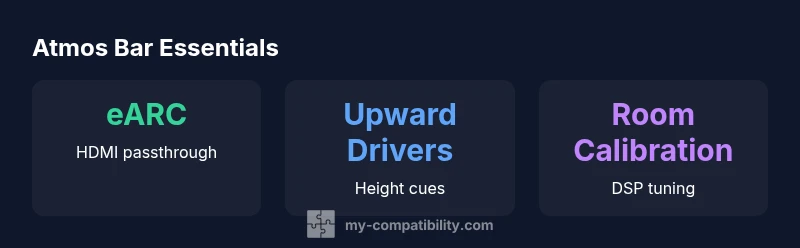
Atmos performance isn’t just about a logo; it relies on a combination of hardware and software features. Look for upward-firing or reflected-height drivers, precision DSP that maps sounds to virtual 3D space, and robust HDMI eARC bandwidth to carry high-quality Atmos metadata. A good soundbar should offer room calibration and a clear dialogue mode to avoid harsh highs or mudded mids. Subwoofer integration matters: a dedicated bass driver or wireless sub can anchor bass without masking higher-resolution spatial cues. Finally, consider whether the bar supports object-based processing across all input sources, including streaming apps and game consoles. According to the My Compatibility team, these features collectively determine how convincing Atmos sounds in real rooms.
- Upward-firing or height channels for overhead effects
- Object-based audio processing and scene mapping
- HDMI eARC support with wide bandwidth
- Room calibration and subwoofer synergy
- Content compatibility across streaming apps and gaming
Setup Essentials: HDMI eARC, TV, and Apps
A smooth Atmos setup typically hinges on correct HDMI connections and TV settings. Connect the soundbar to the TV using an HDMI cable to the eARC/ARC port. On the TV, enable HDMI ARC/eARC in the audio output settings, and switch the audio format to Dolby Digital Plus or Dolby Atmos if available. Some TVs require enabling “Auto” or “Pass-Through” for external audio, and you may need to disable internal speakers. In many cases, streaming Atmos titles require the content provider’s app to produce Atmos metadata; ensure your soundbar is compatible with those apps and that firmware is up to date. If you’re using a dedicated sub, place it for even bass response without overwhelming the midrange.
Common Pitfalls and How to Fix Them
Several setup mistakes can sabotage Atmos performance. First, ensure the TV’s audio output is set to the soundbar, not the internal speakers. Second, check that the HDMI cable is high-speed and connected to the correct eARC port. Third, some content isn’t Atmos-enabled; check the content and app settings. Lip-sync issues are common when PCM or non-Atmos formats are selected; switch to Bitstream or Auto. Finally, room acoustics matter: soft furnishings and wall treatments can dampen reflections; consider strategic furniture placement to keep height cues intact.
Real-World Use Cases: Movies, Games, and Music
For movies, Atmos shines in action scenes with layered sound—aircraft, rain, and distant gunfire can feel spatially accurate when height channels are working. Some games offer Atmos with dynamic position tracking of bullets, footsteps, and ambient sounds, enhancing immersion. Music Atmos experiences are more variable; while some albums are remixed for Atmos, many tracks still rely on traditional stereo or 5.1. If you’re primarily a music listener, pair a solid soundbar with a complementary sub and consider whether your streaming service supports Atmos audio for musical content. My Compatibility’s field observations show the best results occur when Atmos is paired with proper placement and high-quality sources.
Budget Strategies: Getting Atmos Without Overspending
Atmos-capable soundbars span a wide price range. If you’re budget-conscious, look for mid-range bars that include a separate wireless sub or offer optional rear speakers to extend vertical sound cues. DIY tricks like placing the bar at ear level and tuning the room with acoustic treatments can improve perceived depth without extra hardware. If you can, invest in a model with firmware updates and App-based calibration, as these features help maximize Atmos performance over time. Remember that the biggest gains come from accurate source content and proper room setup, not just the number of drivers.
Buying Guide: How to Choose the Right dolby atmos compatible soundbar for you
Choosing the right dolby atmos compatible soundbar requires balancing room size, content preferences, and connectivity needs. Start by defining your budget and identifying essential features like HDMI eARC, built-in subwoofer, or wireless rear speaker compatibility. Check that the bar supports Atmos across your primary content sources and streaming apps. If you have a large living room, aim for a model with additional drivers or a compatible sub for deep bass. For compact spaces, look for slim designs with effective DSP and room calibration. Finally, read user reviews focusing on Atmos realism, lip-sync reliability, and long-term firmware support. My Compatibility’s guidance emphasizes testing setups in-store or via return policies to ensure you’re satisfied with Atmos in your space.
Comparison of Atmos-capable soundbars by type
| Model Type | Atmos Support | HDMI eARC | Indicative Price |
|---|---|---|---|
| Compact soundbar (2.0) | Yes | Yes | 200-350 |
| All-in-one soundbar (5.1.2) | Yes | Yes | 350-700 |
| Premium soundbar (7.1.4) | Yes | Yes | 700-1500 |
Questions & Answers
What is Dolby Atmos and how does it work on a soundbar?
Dolby Atmos adds height channels and object-based sound to traditional surround setups, creating a 3D audio space. A compatible soundbar uses up-firing drivers and intelligent mapping to place sounds above and around you for a more immersive experience. Content availability varies by streaming service and device support.
Atmos adds height to sound. Make sure your TV and soundbar support Atmos and that you’re using Atmos-enabled content.
Do all TVs support Atmos with a soundbar?
Most modern TVs support Atmos when connected via HDMI eARC, but capabilities can vary by model. Some TVs may require firmware updates or specific audio settings to pass Atmos metadata to the soundbar. Check your TV’s manual or manufacturer site for Atmos guidance.
Check if your TV has an HDMI eARC port and enable Atmos in the audio settings.
Is HDMI ARC enough, or is eARC required for Atmos?
HDMI eARC provides higher bandwidth and more reliable Atmos metadata transfer than ARC. For best Atmos performance, use eARC, and ensure both the source and the soundbar support eARC. If only ARC is available, Atmos performance may be limited or not available.
Use HDMI eARC if possible; ARC can limit Atmos features.
Can you get Atmos without rear height speakers?
Yes, many Atmos soundbars use up-firing drivers or virtual height processing to simulate height cues, but the most convincing results come from true height channels (rear or upward drivers). For smaller rooms, a well-calibrated bar with height processing can still feel immersive.
Height cues can come from up-firing drivers even without rear speakers.
What should I consider when budgeting for Atmos?
Budget Atmos setups range from entry-level bars with built-in subwoofers to premium models with multiple drivers and wireless rear speakers. Consider total system cost, room acoustics, and future-proofing via firmware updates. Read reviews about real-world Atmos performance before purchasing.
Set a budget, then prioritize HDMI eARC, up-firing drivers, and room calibration.
“Atmos performance depends on a complete chain: source content, HDMI eARC bandwidth, and room acoustics. Even budget options can feel immersive with proper setup.”
Highlights
- Prioritize HDMI eARC for best Atmos quality
- Height channels and upward-firing drivers matter
- Content availability varies by streaming service
- Room placement and calibration unlock real benefits