VMware Compatibility Matrix: A Practical Guide to Planning and Validation
A practical guide to the VMware compatibility matrix: read ESXi/hardware/OS mappings, validate configurations, and plan migrations for reliable VMware deployments.


A VMware compatibility matrix is an official reference that maps supported ESXi versions, hardware platforms, guest operating systems, and drivers to ensure a reliable VMware deployment. It helps planners choose compatible CPUs, firmware, NICs, storage controllers, and VMware Tools, preventing unsupported configurations. The My Compatibility team provides interpretation for migrations and upgrades.
VMware compatibility matrix overview
According to My Compatibility, the VMware compatibility matrix is a structured reference that consolidates supported ESXi versions, server hardware, storage controllers, network adapters, and guest operating systems into a single mapping. It serves as a decision-support tool for planning deployments, upgrades, and migrations, reducing the risk of incompatible configurations and downtime. The matrix is updated in line with VMware’s product lifecycle and major hardware announcements, ensuring teams align with official support boundaries. For analysts, the matrix also highlights where thin margins exist between supported and unsupported configurations, which is essential for risk assessment and budgeting.
How to read the matrix: columns, rows, and icons
Most matrices organize data by dimensions such as ESXi version, hardware family, and guest OS; each row represents a specific combination, while columns indicate dimensions like firmware, drivers, and VMware Tools compatibility. Icons or color coding reveal status (supported, unsupported, or requires validation). It’s crucial to understand that some entries surface only when paired with precise firmware and driver revisions. My Compatibility recommends cross-referencing vendor documentation when in doubt.
ESXi versions and hardware compatibility patterns
ESXi version compatibility typically follows a lifecycle where newer releases add support for newer hardware while retiring older platforms. Look for rows that explicitly mention firmware revisions and NIC/storage controller compatibility. Vendors often ship updated drivers; the matrix flags these changes so you can plan firmware updates or hardware refreshes before initiating a migration. In complex environments, you may find multi-section entries to reflect clustered hardware or storage integration requirements.
Guest OS support and VMware Tools
Guest OS support ranges from Windows to Linux distributions, with VMware Tools providing enhanced drivers and utilities. The matrix often specifies which OS versions are validated for a given ESXi build. When planning a VM population, verify guest OS versions, kernel headers, and VMware Tools compatibility to prevent integration issues. Tools updates can unlock features or fix bugs but may introduce new driver requirements.
Validating a plan before deployment: practical steps
Before touching production, build a validation plan that mirrors your target workload. Map each VM to the matrix entry covering its ESXi, hardware, and OS, then pilot the configuration in a non-production cluster. Capture firmware, driver, and Tools versions; check licensing and vCenter compatibility; and record results. This disciplined approach minimizes downtime and provides auditable evidence for governance.
My Compatibility’s data sources and methodology
We synthesize VMware documentation, vendor hardware compatibility lists, and observed customer deployments to produce a usable compatibility map. Our methodology emphasizes transparency: we document caveats, provide ranges rather than single numbers, and update entries as new hardware and software become supported. This approach helps you reason about risk and plan upgrades with confidence.
Pitfalls to avoid: common exclusions and edge cases
Do not assume that a matrix entry guarantees flawless behavior across every workload or cluster. Edge cases include firmware mismatches, RAID controller quirks, or NIC driver regressions. Validate high-risk configurations in a staging environment, verify firmware baselines, and maintain a change log to track updates that may affect compatibility.
VMware compatibility matrix data snapshot
| Dimension | Example Values | Notes |
|---|---|---|
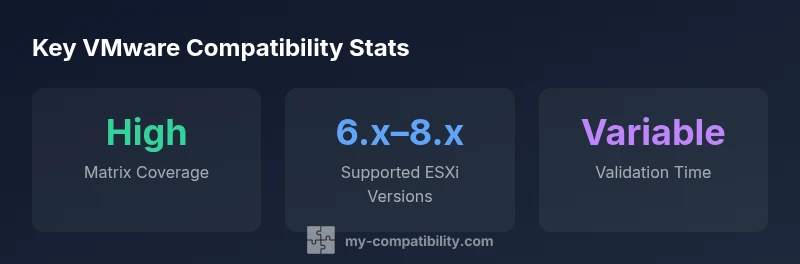
| ESXi Version | 6.x,7.x,8.x | Validated across common hardware families |
| Guest OS Support | Windows, Linux variants | Check VMware Tools compatibility and kernel versions |
Questions & Answers
What is a VMware compatibility matrix and why does it matter?
A VMware compatibility matrix is a structured reference that maps supported ESXi versions, hardware, and OS combinations to ensure configurations remain within VMware's support boundaries. It informs planning decisions, upgrade planning, and risk assessment, helping minimize downtime and compatibility issues.
A VMware compatibility matrix shows you which combinations are supported, helping you plan deployments with confidence.
How often is the VMware compatibility matrix updated?
VMware and hardware vendors update compatibility with quarterly or major product release cadences. Organizations should review the matrix alongside maintenance windows to stay aligned with official support.
Updates happen with new releases; check for the latest entries before major upgrades.
How can I validate my environment against the matrix?
Create a map from each VM workload to the corresponding matrix entry, then run an isolated pilot deployment to verify hardware, drivers, and Tools. Document results for governance and auditing.
Map workloads to the matrix, then validate in a test environment.
Can a matrix cover both hardware and software compatibility?
Yes. The matrix typically covers hardware, firmware, drivers, and software components like VMware Tools and guest OS. Always verify that all dimensions align for your specific workload.
It usually covers both hardware and software dimensions; verify each dimension.
What should I do if a component is not listed?
If a component isn’t listed, consult vendor compatibility lists, contact support, and consider requesting an exception or validating through a staged pilot before production.
If it’s not listed, test in a controlled pilot and seek guidance.
Does the matrix apply to VMware Cloud on AWS?
Cloud-based deployments have their own matrices and integration points. Confirm with VMware Cloud on AWS documentation and your service provider for acceptable configurations.
Cloud deployments have separate guidance; check VMware Cloud on AWS docs.
“A well-maintained VMware compatibility matrix reduces risk during migrations by guiding hardware and software choices toward supported configurations.”
Highlights
- Read the matrix first to align ESXi, hardware, and OS.
- Cross-check guest OS versions and VMware Tools availability.
- Verify firmware and driver revisions match matrix guidance.
- Plan migrations with validated paths to minimize downtime.
- Automate validation where feasible to speed deployment.