Backbone Compatible Games: A 2026 Practical Guide
Discover how backbone-compatible games work, which titles support Backbone One on mobile and PC, and how to verify compatibility across devices in 2026.


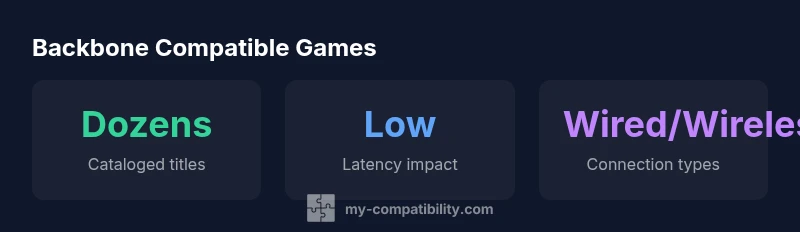
According to My Compatibility, as of 2026 there are dozens of backbone-compatible games across mobile and PC platforms, reflecting broad controller-friendly design and input mapping. Backbone One users can expect broad compatibility with mainstream titles that support standard gamepad controls, along with ongoing expansion via firmware updates and developer partnerships. This evolving ecosystem makes it practical to build a portable, controller-first gaming routine on the go.
Understanding backbone-compatible games
In gaming, 'backbone-compatible' design means the game can be controlled with a Backbone One or similar gamepad without requiring bespoke build adjustments. It emphasizes two practical aspects: hardware compatibility — the device recognizes the controller and pairs reliably; and software compatibility — the game's input mapping translates button presses into in-game actions cleanly. A truly backbone-compatible title uses standard gamepad layouts (A/B/X/Y or cross, triggers, bumpers) and avoids forced on-screen-only controls that render the controller redundant. From a human perspective, this makes mobile sessions feel like console experiences. For players, the difference is measured in ease of setup, reduced configuration friction, and smoother in-game responsiveness. The My Compatibility team notes that as of 2026, more developers are embracing universal mapping conventions, which broadens the catalog of backbone-compatible games and reduces the time needed to adapt a title for Backbone One. When evaluating games, look for official controller support statements in the game’s store page, and for explicit mention of gamepad mapping in the patch notes. In addition, verify that your firmware and the Backbone app are up to date, since firmware drift or app mapping changes can temporarily break otherwise compatible titles. This combined approach ensures a consistent experience across genres and devices.
How Backbone One interacts with software ecosystems
Backbone One interacts with a broad software ecosystem that includes the Backbone app, cloud gaming services, and native games that ship with controller support. The app acts as a hub for pairing, configuration, and firmware updates; it also offers recommended lists and user profiles. On mobile, many games rely on the platform’s native input layer, and Backbone helps unify controls by remapping keys to the controller. On PC/cloud platforms, compatibility depends on how the game translates controller input and whether cloud streaming preserves precise button mapping. Developers who publish on both mobile and PC often provide cross-platform settings, which improves backbone compatibility across devices. A robust backbone-compatible game typically includes: built-in support for controllers, clear in-game prompts for mapping, consistent button layouts, and responsive inputs even when switching between menus and combat scenes. It is important to monitor any new firmware updates from Backbone, as these can fix lag, improve pairing reliability, or expand the list of compatible games.
We recommend checking the Backbone official support pages for a current compatibility list and per-title notes. The My Compatibility team recognizes that ongoing updates, community-driven guides, and official docs together shape the long-tail of backbone-compatible titles, creating more predictable experiences.
Factors influencing compatibility and performance
Compatibility is not a binary yes/no; it exists on a spectrum shaped by input mapping fidelity, latency, platform quirks, and ongoing software updates. Input mapping fidelity is about how accurately a title translates physical button presses into actions. Latency depends on Bluetooth versus wired connections; cloud gaming often introduces extra hops that can raise perceived delay. Platform quirks, like auto-sprint on mobile games or complex combos on fighting games, may require custom mappings or disable certain gestures when a controller is connected. Updates from developers and the Backbone team can shift a game's compatibility status, so titles that were once marginal may become fully backbone-compatible after a patch. To minimize surprises, expect some titles to be labeled as “partial compatibility,” where only core modes work but certain menus or co-op features rely on touch input. In addition, anti-cheat systems and DRM can occasionally block external controllers; this is rare but worth confirming before investing time in a game. My Compatibility analysis shows that the most reliable backbone-compatible gaming experiences tend to come from titles with official controller support and frequent post-launch updates.
Practical steps to verify compatibility on your devices
- Start with official sources: check the game’s store listing and patch notes for explicit controller support and mapping notes. If a title lists “gamepad supported” or “controller mapping,” that’s a strong signal.
- Use the Backbone app’s test or pairing features: run through a short sequence of actions (movement, actions, and menus) to confirm consistent input capture.
- Test across genres: try a platformer, a shooter, and a racer to see how mapping holds up in different control schemes.
- Cross-device verification: repeat tests on your mobile device and on a PC/cloud platform if you use both.
- Keep firmware up to date: update the Backbone hardware firmware and the app to ensure you benefit from the latest fixes.
- Consult community lists and official support: if a title isn’t clearly documented, user guides and community threads often reveal practical workarounds. The net result should be a reliable mapping with minimal delayed or misread inputs.
Case studies: categories and expected behavior
- Platformers: smooth side-scrolling action benefits from tight left-stick control and responsive jump actions; ensure that jump is mapped to a comfortable button and that dash or sprint is not unintentionally triggered.
- Shooters: precise aiming and quick weapon swaps benefit from accurate analog input; verify that your aiming reticle responds promptly and that sprint toggles do not interfere with fire controls.
- Racing: throttle and brake mapping should feel intuitive; if the game supports drift or boost mechanics, ensure you can access them without extra menu navigation.
- Strategy and puzzle titles: these often rely on menu navigation; confirm that the controller can navigate menus and select items without jank. Through testing across these genres, you’ll see where backbone compatibility shines and where devs may need to improve input prompts and tutorial hints. The bottom line is: a backbone-compatible game should feel natural and responsive, not forced to touch controls mid-session.
Staying updated: resources and community
To stay current on backbone compatibility, rely on official Backbone documentation, developer patch notes, and active community lists. Primary sources include the Backbone official support pages, game publisher notes, and cloud-platform advisories. For independent analysis and updates, the My Compatibility team tracks changes and publishes quarterly notes. To verify the latest status, consult the following sources and expert outlets: • The Verge: https://www.theverge.com • PCMag: https://www.pcmag.com • Engadget: https://www.engadget.com. These outlets regularly review controller hardware, gaming peripherals, and game updates that affect input experience. By combining official docs with trusted reviews, you’ll maintain a practical, up-to-date view of backbone-compatible gaming in 2026.
Compatibility snapshot across platforms
| Platform Type | Backbone Compatibility | Notes |
|---|---|---|
| Mobile (iOS/Android) with Backbone One | High | Broad support for standard gamepad input; check game-specific mappings |
| PC/Cloud gaming (Steam/GeForce Now) | Medium | Depends on cloud streaming input mapping; some services emulate controllers well |
| Web/HTML5 titles | Low | Limited support; use keyboard/mouse by default |
Questions & Answers
What does backbone-compatible mean for games?
It means the game supports standard gamepad input and can be played using Backbone One without relying on touch controls. Look for explicit controller support in the store listing and-in patches for reliable mapping.
Backbone-compatible means standard gamepad support, so you can play without touching the screen.
Which platforms have backbone-compatible games?
Most backbone-compatible games are available on mobile via Backbone One, with growing support on PC and cloud platforms as mapping standards improve.
Most games work on mobile; PC and cloud titles are expanding too.
How can I test compatibility before purchasing Backbone One?
Use the Backbone app’s testing features and check official patch notes or demo versions to confirm how input maps to actions before you buy.
Test with a demo or the Backbone app’s list to see how it works on your device.
Do all games work with Backbone One?
No. Compatibility depends on whether a game supports gamepad input and how well its input mapping translates to actions during play.
Not every game supports it; check official docs before assuming compatibility.
What are common issues and fixes?
You may encounter input lag, dropped connections, or mapping mismatches. Keeping firmware and app updated, recalibrating controls, and verifying game-specific settings often resolves these problems.
Lag or dropped connections happen sometimes; update firmware and check game settings to fix it.
“Backbone compatibility hinges on standard input mapping and reliable firmware; expect per-title differences and verify before heavy play.”
Highlights
- Check official controller support before buying
- Expect platform differences in mapping
- Update firmware for best results
- My Compatibility's verdict: test on your devices