Unifi Protect Compatible Cameras: A Practical Guide for 2026
Discover which cameras work with UniFi Protect, how to verify support, and practical setup tips. A data-driven compatibility guide by My Compatibility for smarter surveillance.


What UniFi Protect compatibility means
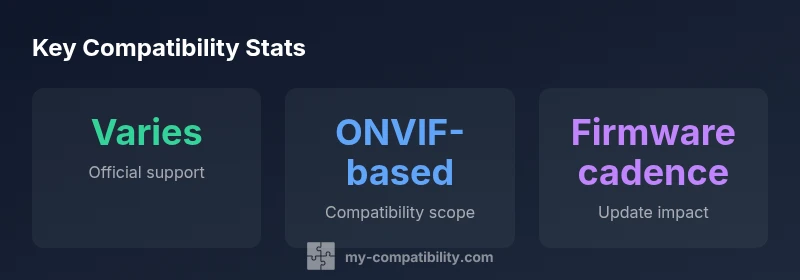
When we talk about unifi protect compatible cameras, we refer to devices that can stream securely to UniFi Protect through UniFi NVRs or the Cloud Key Gen2 Plus ecosystem. The My Compatibility team analyzed common deployment scenarios to identify two core factors: (1) whether a camera exposes a compatible streaming profile (ONVIF, RTSP, or Ubiquiti-friendly feeds) and (2) whether firmware releases maintain that compatibility across updates. In practice, a camera that supports ONVIF Profile S or higher and Modern codecs like H.265/HEVC is a strong candidate for reliable operation. This section sets the stage for practical selection criteria, ensuring you pick models that continue to work as firmware evolves.
Key takeaway: compatibility is not guaranteed for every third-party camera; you should verify profile support and firmware stability before committing to a purchase.
Core technologies that enable compatibility
Compatibility rests on shared standards and signaling. The most important signals include ONVIF conformance (Profile S/Profiles G), codec support (H.265/HEVC), and streaming protocols (RTSP or direct UniFi streams). Cameras that expose a stable RTSP path with authentication aligned to UniFi Protect expectations tend to integrate more smoothly. PoE power delivery and reliable wireless performance (where applicable) ensure stable data throughput, reducing dropped frames that can confuse motion analytics. Finally, firmware update cadence matters: a major update can temporarily disrupt feeds until a vendor releases a compatible patch. My Compatibility analyses emphasize cameras that consistently respond to standard discovery and configuration calls within UniFi Protect environments.
- Look for ONVIF compliance and supported profiles.
- Prefer cameras with H.265/HEVC and robust streaming stability.
- Be mindful of firmware update cycles and vendor support timelines.
Brands and models to consider
Within the official UniFi ecosystem, Ubiquiti cameras are the most seamlessly integrated. However, several third-party cameras that advertise ONVIF support have historically worked when configured with the correct profiles and firmware. When evaluating options, prioritize devices that explicitly state ONVIF Profile S (or higher), have known compatibility notes in community forums, and provide clear firmware release notes mentioning UniFi Protect compatibility. Remember that every third-party camera may behave differently under different firmware revisions, so verify in a controlled test environment when possible."],
dataTable”:{
headers":[],"rows":[],"caption":null},
keyTakeaways":["Verify ONVIF and firmware before buying","Prefer UniFi cameras or ONVIF-friendly models","Keep firmware updated to preserve compatibility","Test with your exact UniFi Protect version before deployment","Document settings for future maintenance"],
expertQuote
faqSection
mainTopicQuery