Siri Compatible Earbuds: A Comprehensive Guide for Apple Audio
Explore Siri compatible earbuds from AirPods to top third-party options. Learn how to choose, compare compatibility, latency, and setup for Apple devices, plus practical buying tips and setup guidance.


Siri-compatible earbuds are wireless headphones that enable hands-free Siri control on Apple devices. The strongest experience comes from Apple’s own AirPods family, offering seamless integration with iPhone, iPad, and Mac, along with reliable voice commands. Many third-party earbuds also support Hey Siri when paired to an iPhone, though latency and mic quality can vary. This guide helps you compare options, features, and setup.
What Siri Compatibility Means for Earbuds
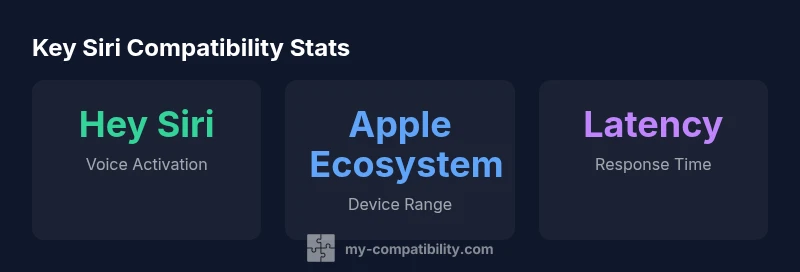
Siri compatibility refers to how well a pair of wireless earbuds can trigger and respond to Siri on Apple devices without physical interaction. For many users, this means hands-free access to voice commands, dictation, message reading, and quick actions like setting reminders or changing music. In practice, Siri compatibility hinges on the device ecosystem, latency, microphone quality, and on-device controls. Within My Compatibility's framework, we assess not just whether Siri can be invoked, but how reliably the experience is across iPhone, iPad, and Mac when using different earbud brands.
For the majority of users, the strongest, most reliable experience comes from Apple’s own AirPods family. These devices are designed for native Siri integration, featuring quick activation with voice and hardware buttons, low-latency audio, and consistent mic performance. However, the expanding market of third-party earbuds brings additional choices for price, fit, and ANC, while still enabling Hey Siri when connected to an iPhone. The practical takeaway is that you can obtain a good Siri experience outside Apple, but the level of polish will vary by model and firmware support.
From a compatibility perspective, the first question is whether the earbuds support Siri on your device family. If you’re deep in the Apple ecosystem, AirPods or Beats products tend to deliver the most seamless interaction, while third-party alternatives may require more setup, and occasionally, firmware updates to unlock optimal performance. In 2026, the market features a broad spectrum of options with rapid firmware improvements that close latency gaps and improve voice pickup over time.
In our evaluation, the user experience with Siri often correlates with three factors: (1) the ease of invoking Siri (Hey Siri vs. physical button), (2) the consistency of the microphone array for voice pickup, and (3) the headset's integration with iOS-specific features like audio routing and Siri suggestions. This means that while you can indeed use Siri with many earbuds, the most effortless experience remains with devices designed for Apple software and hardware synergy, such as the AirPods line and select Beats models.
sourceNoteRequiredForSEOOnlyOrNullForOtherFields requiredForSEOOnlyOrNullForOtherFieldsRequired
Siri compatibility by earbud type
| Earbud Type | Siri Activation Method | Typical Notes |
|---|---|---|
| AirPods Series | Hey Siri with one-tap/voice | Best overall integration on Apple devices |
| AirPods Pro/Max | Hey Siri + touch controls | Excellent mic array; rich features |
| Third-party earbuds | Hey Siri via iPhone connection | Quality varies by model and firmware |
Questions & Answers
What does it mean for earbuds to be Siri compatible?
Siri compatibility means the earbuds can trigger and interact with Siri on Apple devices, usually via Hey Siri or a hardware control. It also implies reliable microphone pickup and smooth audio routing within the Apple ecosystem.
Siri-compatible earbuds let you talk to Siri without touching your device, using Hey Siri or button controls.
Do all Siri-compatible earbuds support 'Hey Siri'?
Most Apple-optimized options do, including AirPods and Beats. Some third-party buds support Hey Siri when connected to an iPhone, but activation methods and reliability can vary.
Most will, but check the exact activation method for your model.
Are AirPods the best option for Siri?
AirPods provide the most seamless Siri integration due to native iOS support, consistent mic quality, and optimized firmware. They remain the top recommendation if a flawless Siri experience is your priority.
AirPods tend to offer the easiest Siri experience on Apple devices.
Can Siri work with earbuds on Android or non-Apple devices?
Siri is Apple’s assistant and is designed for Apple platforms. Some features may work when paired to iPhone, but full Siri integration is limited on non-Apple devices.
Siri is best used with Apple devices; Android users may have limited access depending on app support.
How do I enable Siri on a non-Apple earbud if possible?
If supported, you’ll typically enable via the iPhone’s Bluetooth pairing and then configure the earbud’s physical button to trigger Siri. Firmware updates may be required for best results.
Connect to iPhone, then set the button to activate Siri in settings.
“The most seamless Siri experience comes from devices designed for Apple software integration, but a growing set of third-party earbuds now deliver solid performance with careful setup.”
Highlights
- Master Siri with AirPods for the smoothest Apple experience
- Third-party buds can work well, but verify firmware support
- Choose activation method that matches your daily rhythm (voice vs button)
- Ensure updates and iOS compatibility to keep Siri features current
- Test latency and mic performance before heavy daily use