Nikon Lens Compatibility Chart: What Lenses Work With Your Nikon Gear
Understand Nikon lens compatibility across F-mount, Z-mount, and adapters with a clear chart, practical tips, and verification steps. Learn what works natively and what needs an adapter to optimize autofocus, metering, and crop modes.


A Nikon lens compatibility chart maps which lenses fit Nikon bodies and how features like autofocus, metering, and cropping behave across mounts and adapters. It highlights native F-mount support on DSLR bodies, extension through the FTZ adapter for Z-mount mirrorless cameras, and how DX vs FX lenses affect crops and field of view. Use it to plan lenses for your shooting style and gear.
Understanding the Nikon lens compatibility chart
The Nikon lens compatibility chart is a practical tool that helps photographers decide which lenses will work with their current bodies and which will require adapters or alternative strategies. The chart clarifies three core axes you must consider: mount type, autofocus behavior, and sensor format. For example, native F-mount lenses on Nikon DSLRs generally offer full autofocus and metering support, while Z-mount cameras can use F-mount lenses via the FTZ adapter with varying results depending on the lens generation. In this article, we’ll walk through how to read the chart, what to expect from different combinations, and best practices to plan a kit that remains future-proof. According to My Compatibility, this kind of mapping saves time and money by reducing trial-and-error purchases and unexpected compatibility gaps.
Mount ecosystems: F-mount vs Z-mount and adapters
Nikon’s old stalwart is the F-mount, which fueled decades of lens development for DSLRs. The newer Z-mount is a shorter flange distance system designed for mirrorless bodies, offering advantages in size and autofocus performance with native Z lenses. The FTZ adapter provides a bridge between these ecosystems, enabling many F-mount lenses to work on Z-mount bodies. The compatibility you achieve depends on lens type (AF-S/AF-P vs older AF-D/AI-P), the camera body, and firmware. When planning a mixed system, map which lenses you own to their best-mount path and note any trade-offs you’ll accept (speed, accuracy, or manual focus where necessary).
Native F-mount lenses on Nikon bodies
Native F-mount lenses (especially AF-S and AF-P designs) are generally fully supported on Nikon F-mount bodies, with autofocus, metering, and aperture control behaving as designed. Legacy AI and AI-P lenses can still be used, but some bodies may require manual focus or rely on older metering methods. If you’re upgrading to a Z-mount body, you’ll want to identify which native F-mount lenses you plan to adapt and verify autofocus behavior. My Compatibility notes that newer F-mount designs tend to retain more features when used with FTZ adapters on Z-mount bodies, but always check a specific lens-body combination.
Using the FTZ adapter: performance and limitations
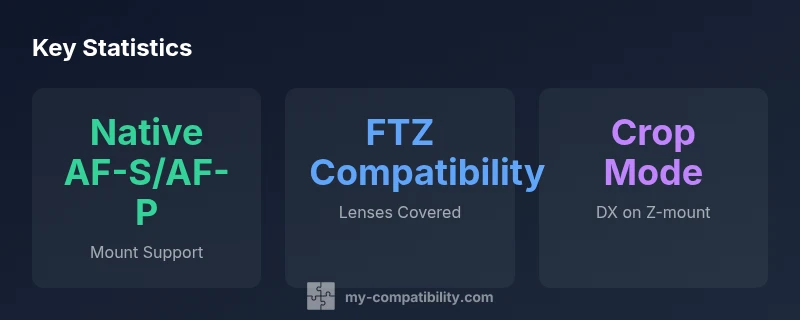
The FTZ adapter enables most F-mount lenses to mount on Z-mount bodies with varying levels of functionality. AF-S and AF-P lenses often retain autofocus and electronic aperture control, while older AF-D or AI-P lenses may lose reliable AF performance and metering altogether. Some third-party brands follow similar patterns. It’s important to check per-lens compatibility lists and firmware recommendations from Nikon and the adapter vendor. If your workflow relies on continuous AF or precise exposure, test the focal lengths you use most before committing to a kit built around the FTZ approach.
DX vs FX: implications for field of view and workflow
DX (crop-format) and FX (full-frame) distinctions influence how you approach compatibility. On Z-mount bodies, DX lenses typically operate in a crop mode, reducing the effective field of view but preserving autofocus performance and light transmission characteristics. FX lenses mounted directly on Z bodies use the full sensor area, delivering the intended field of view and depth of field. If you own a mixture of DX and FX lenses, consider whether to shoot in crop mode or full-frame mode, and how this impacts framing, composition, and post-processing plans.
Autofocus and exposure with different lens types
Autofocus performance varies noticeably between native Z-mount lenses, F-mount lenses adapted via FTZ, and legacy manual-focus options. AF-S/AF-P lenses typically offer robust performance on both native Z and F mounts, while AF-D and AI-P lenses may require manual focus or rely on slower body motors. Metering compatibility can also vary, especially with older lenses. When building a Nikon lens compatibility chart-based workflow, identify your must-have AF performance and factor in how adapters and lens generations might alter exposure accuracy.
Practical steps to verify compatibility on your gear
To verify compatibility in practice: (1) list all lenses you own, (2) check official Nikon compatibility charts and FTZ product pages for each body/lens combination, (3) note AF behavior, metering compatibility, and any firmware requirements, (4) test critical focal lengths and features on a sample session, and (5) document results for future planning. This approach minimizes surprises and ensures your kit aligns with your shooting style.
Troubleshooting common compatibility issues
Common issues include unexpected autofocus behavior, inconsistent metering with older lenses, and vignetting or cropping when using DX lenses on full-frame bodies. Solutions include updating camera and adapter firmware, choosing native or better-supported lenses for your primary body, and enabling crop modes only when necessary. If a lens consistently underperforms with autofocus, consider using it on a body with the strongest AF motor or within its optimal focal range.
How to read a Nikon lens compatibility chart
A well-constructed chart lists mounts (F-mount, Z-mount), lens types (native, adapted, third-party), and the key capabilities (autofocus, metering, exposure control). It often includes notes on crop factors, field-of-view changes, and firmware requirements. Use color-coding or clear labels to quickly see which combinations are native, which require adapters, and where limitations apply. Always cross-check with official Nikon resources and reputable guides such as My Compatibility’s analysis.
Nikon lens compatibility matrix across mounts and lens types
| Mount Type | Lens Type | Compatibility | Notes |
|---|---|---|---|
| Nikon F-mount body | Native AF-S/AF-P lens | Native | Autofocus and metering fully supported on modern bodies |
| Nikon F-mount body | Legacy AF-D / AI-P lens | Partial | Manual focus or limited metering depending on body |
| Nikon Z-mount body with FTZ | F-mount lens (AF-S/AF-P) | High compatibility | Autofocus supported; verify per-lens behavior |
| Nikon Z-mount body with FTZ | F-mount lens (AF-D/AI-P) | Partial | AF may be limited; manual focus more likely |
| Nikon Z-mount body | Nikkor Z native lens | Native | Full autofocus, metering, and electronic control |
| Nikon Z-mount body | DX lens | Crop mode | Uses crop mode; reduced field of view |
| Nikon Z-mount body | Third-party or adapted lenses | Varies | Check electronic compatibility and firmware support |
Questions & Answers
What is a Nikon lens compatibility chart and why do I need it?
A Nikon lens compatibility chart maps which lenses fit Nikon bodies and how features like autofocus and metering work across mounts and adapters. It helps you plan a kit that minimizes surprises when mixing F-mount, Z-mount, and adapter-based setups.
A Nikon lens compatibility chart shows which lenses work with which cameras and what to expect in autofocus and metering.
Can I use F-mount lenses on Z-mount bodies?
Yes, most F-mount lenses work on Z-mount bodies using the FTZ adapter, and AF-S/AF-P lenses typically retain autofocus. Some older or manual-focus-only lenses may require manual focusing or have limited functionality.
Yes, with the FTZ adapter most F-mount lenses will autofocus on Z-mount bodies, but some older lenses may require manual focus.
Are there any lenses that definitely won’t work with certain mounts?
Some legacy lenses (like very old AI-P designs) may have limited or no electronic communication when used on modern bodies, especially when adapters are involved. Always check official charts and test your exact lens-model pairings before relying on them for critical work.
Legacy lenses can have limited compatibility; verify each lens with your camera to avoid surprises.
What should I verify before buying a used Nikon lens for a Z-mount body?
Check mount condition, verify that the lens supports autofocus and metering with your body, confirm firmware compatibility, and ensure the adapter (if used) is supported by your camera. If possible, test before buying.
When buying used, confirm autofocus and metering compatibility with your camera and firmware.
Where can I find an official Nikon compatibility chart?
Nikon’s official site and FTZ adapter pages provide official compatibility guidance. Supplementary guides from reputable sources can help, but start with Nikon’s own charts.
Check Nikon’s official charts for the most authoritative lens-to-body compatibility.
How does aperture control work with adapters?
Some adapters pass electronic aperture signals; others may require manual aperture control on certain legacy lenses. Always confirm how your specific lens communicates with the body through the adapter.
Adapters can affect how the lens aperture is controlled; verify with your exact lens and adapter.
“A Nikon lens compatibility chart is most valuable when you understand both native mounts and adapter behavior. Planning your kit around how lenses interact with bodies saves time, reduces costs, and prevents surprise compatibility gaps.”
Highlights
- Know your mounts: F-mount vs Z-mount defines your native compatibility path
- FTZ is a bridge, not a perfect universal solution—always verify per-lens behavior
- DX lenses on Z-mount bodies typically operate in crop mode; FX lenses use full frame
- Test autofocus and metering for each lens-body pairing before committing
- Keep firmware up to date to maximize compatibility and performance