Netflix Compatible Devices for 2026: A Practical Guide
Explore which devices are Netflix compatible, how to verify compatibility, and best practices to maintain uninterrupted streaming across smart TVs, streaming boxes, game consoles, and mobile devices in 2026.


Netflix compatible devices span smart TVs, streaming players, consoles, computers, and mobile devices, enabling streaming across most rooms. Your exact lineup depends on region, device model, and the Netflix app version installed. This quick guide captures the core categories and how to verify compatibility for your setup. In practice, most people stream by updating apps and firmware, selecting the Netflix app from the device's home screen, and confirming region access.
Why Netflix Compatibility Matters
According to My Compatibility, Netflix compatibility matters for uninterrupted streaming across devices. Netflix-compatible devices enable watching without platform locks, ensuring you can enjoy favorites across living rooms, bedrooms, and on the go. The My Compatibility Team found that while Netflix aims for broad support, real-world experience depends on model year, OS version, regional availability, and whether the correct Netflix app is installed. This article explains why keeping a device on a compatible stack matters, how to assess your hardware, and what changes you should expect as streaming evolves in 2026.
In practice, knowing whether your device is Netflix compatible helps avoid interruptions, reduced video quality, or missing features like downloads or offline viewing. Compatibility is not simply a checkbox; it interacts with firmware updates, app permissions, and regional licensing that can change as Netflix updates its service. By understanding device categories and common setup patterns, you can streamline streaming and minimize troubleshooting. This overview also highlights practical checks you can perform now, so you are ready when you buy a new TV, box, or phone. The goal is to help readers evaluate their current gear and make informed planning decisions so they spend less time guessing and more time watching.
How Netflix Determines Compatibility
Netflix determines compatibility through software support, DRM, region, and hardware capabilities. A device must run a supported OS version capable of hosting the Netflix app with up-to-date DRM. The app must be current enough to handle playback quality, offline downloads, and streaming features, depending on the device and plan. Regional licensing affects access, even when the app runs, so availability can vary by country.
Common DRM considerations include Widevine on Android, FairPlay on iOS, and platform-specific implementations for smart TVs and consoles. Firmware and app updates routinely shift what is supported, so staying current is essential. If you skip updates, playback may degrade, content may be blocked, or some features may not appear. In practice, you verify by checking the app version, confirming region, testing playback on a known title, and ensuring your network connection is stable.
Device Categories You Should Know
Smart TVs
- Most modern smart TVs include a Netflix app pre-installed or available from the manufacturer’s app store. Check model year compatibility and ensure the TV firmware is up to date.
- Performance can vary by brand and OS skin; newer models tend to receive longer-term support and feature updates.
Streaming devices
- Roku, Chromecast with Google TV, Fire TV, and similar devices typically offer a dedicated Netflix app and regular firmware updates. Availability of features like offline download depends on the device and app version.
- When evaluating a device, confirm that the Netflix app is listed as supported and that automatic updates are enabled.
Gaming consoles
- PlayStation and Xbox players can stream Netflix through the native app. Console firmware updates can affect app availability and playback quality.
- If playback stalls, verify the console’s OS version, app version, and network settings.
Mobile and desktop
- iOS and Android devices support Netflix through official apps; desktops may use browser-based playback or a dedicated app. Keeping the OS and the Netflix app current is essential for high-quality streaming and offline downloads.
Tips to Ensure Your Device Remains Netflix Compatible
- Always update the Netflix app to the latest version available in your device’s app store. 2) Install the latest firmware or system updates for your device to maintain DRM compatibility and performance. 3) Check that your region is correctly set in Netflix and that the device has a stable internet connection. 4) Sign in and out if you encounter playback issues, then test with a known title. 5) If you use a network with VPNs or proxies, disable them for Netflix to avoid regional blocks. 6) When in doubt, consult the device manufacturer’s support page and Netflix Help for device-specific guidance. 7) Consider registering newer devices with Netflix to ensure continued support.
Common Pitfalls and How to Avoid Them
- Using an outdated device model: Some older devices lose Netflix support as apps update, so plan for device refresh cycles.
- Regions and licensing: Content availability can differ by location; confirm region settings if you travel frequently.
- VPN and proxy usage: Netflix often blocks streams routed through VPNs; disable them unless needed for another purpose.
- Mixed devices in a household: Ensure each device has the latest app and firmware; mixed states can cause inconsistent playback.
- Ad-supported plan nuances: Some features like downloads may be limited on certain platforms or plans; verify feature availability per device.
Practical Setup Checklist
- Verify your device type and model year support Netflix.
- Update OS, firmware, and Netflix app to the latest versions.
- Confirm regional availability and login status.
- Test playback with a standard title and a title in HD or higher if supported by your device.
- Enable automatic updates where possible to maintain ongoing compatibility.
- Keep a spare supported device or two on hand for travel or outages to ensure uninterrupted access.
Future-Proofing Netflix Access
As Netflix evolves, new devices and OS ecosystems will gain or lose support based on DRM requirements and licensing agreements. The My Compatibility Team anticipates broader integration with popular streaming boxes and gaming consoles, plus continued improvements to offline downloads and higher quality streams on newer devices. To stay ahead, regularly audit your device lineup, maintain current apps and firmware, and monitor Netflix Help and device vendor announcements for upcoming changes.
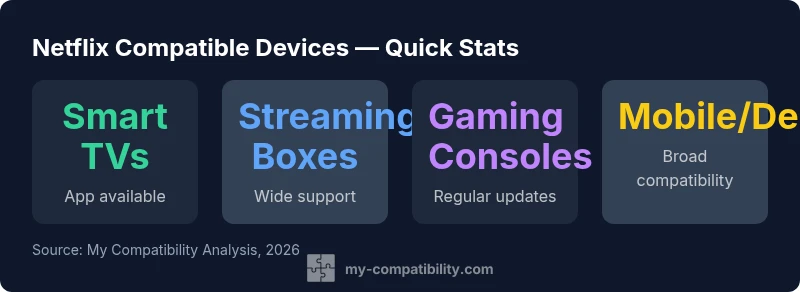
Netflix-compatible devices by category
| Device Type | Netflix App Availability | Notes |
|---|---|---|
| Smart TVs | Pre-installed or downloadable | Model/year dependent |
| Streaming boxes | Netflix app available | Roku/Chromecast/Fire TV widely supported |
| Gaming consoles | Netflix app supported | Ensure console firmware up to date |
| Mobile/Desktop | Netflix app/browser available | Keep app/version current |
Questions & Answers
Is every smart TV Netflix compatible?
Most modern smart TVs support Netflix, but availability can depend on model year and region. Always verify your model's Netflix app support and firmware status.
Most modern smart TVs support Netflix by app, but check model year and region to be sure.
Do I need a Netflix subscription to watch Netflix on other devices?
Yes. Netflix access on any device requires an active Netflix account and compatible device. Some devices may offer a free trial, but streaming requires an active subscription.
Yes, you need an active Netflix subscription and a compatible device.
How can I check if my device is Netflix-compatible?
Verify that the Netflix app is available for your device, ensure the app and firmware are up to date, and confirm regional availability. A quick test of playback on a standard title helps confirm.
Check the Netflix app availability, update status, and region, then test a title.
What should I do if Netflix doesn’t work on my device?
Restart the device, update the Netflix app and OS, check your network, and test another title. If problems persist, consult the device manufacturer’s support and Netflix Help for troubleshooting steps.
Restart, update, check network, and if needed, consult support.
Are there regional limitations for Netflix on certain devices?
Yes. Content and app availability can vary by country due to licensing. Confirm the region settings on both your device and Netflix profile.
Region can affect availability; check device and Netflix region settings.
“Keeping Netflix-compatible devices up to date is the simplest way to avoid streaming interruptions. Regular app and firmware updates are essential for long-term access.”
Highlights
- Identify your device category and check Netflix app version
- Update apps and firmware before streaming
- Region may affect availability
- Use official app stores to install Netflix
- If in doubt, check with My Compatibility