Logitech G923 TrueForce Compatible Games in 2026
Explore Logitech G923 TrueForce compatibility across PC and PS4, how to verify game support, setup steps, and practical tips to maximize realism in 2026.


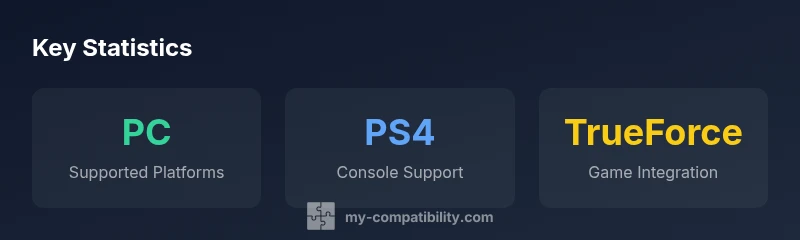
The Logitech G923 TrueForce is compatible with PC and PS4, but there isn’t a single universal list of games. TrueForce works in titles that implement Logitech’s force-feedback API, and performance varies by game and platform. To verify support, check in-game settings, Logitech G Hub/LGS firmware, and official game notes; expect updates over time.
What TrueForce Is and Why it Matters for the G923
Logitech's TrueForce technology represents a deeper integration between game physics and wheel feedback. For the Logitech G923, TrueForce aims to translate in-game parameters—like tire grip, road texture, and weather effects—into more nuanced steering forces. The result can feel more responsive and immersive, especially in high-fidelity racing titles. It's important to understand that TrueForce is not a universal enhancement; its benefits depend on both the game's implementation and your PC or console setup. In practice, TrueForce often shines in titles that explicitly support the feature, while other games may rely on standard force feedback. When evaluating which racing experiences to try, consider whether the game developer has published TrueForce support notes and if the title has received a recent update addressing feedback from the community.
Key takeaway: TrueForce's value is contingent on game integration and platform support, not a blanket enablement across all racing titles.
Platform Coverage: PC vs Console
The G923 is designed to work across PC and PS4, with some cross-compatibility nuances. On PC, you typically rely on Logitech's software (G Hub or old Logitech Gaming Software) to manage firmware and force feedback profiles. On PS4, compatibility depends on the game honoring the PS4 wrapper for external wheels; some titles may implement TrueForce in a way that translates smoothly to the console experience, while others may fall back to standard force feedback. If you primarily game on PC, you may see a broader set of games supporting TrueForce, especially as developers update their titles.
Practical note: Always verify game notes and the latest firmware to ensure the wheel's feature set is active on your platform.
Verifying TrueForce Support in a Game
Verifying TrueForce support starts with three steps: check the game's official notes or patch logs for TrueForce mentions, inspect the in-game settings for force feedback options labeled TrueForce or advanced motor details, and confirm that your wheel firmware is up to date via G Hub/LGS. If the game lists TrueForce in its supported features, you should see more expressive, dynamic feedback as you drive. If not, you may still experience robust force feedback, but without the enhanced TrueForce modulation. In ambiguous cases, consult community guides or the developer's FAQ.
A practical approach: Assume TrueForce support is title-specific and verify with both the developer and user communities before investing time tweaking profiles.
Optimizing TrueForce for Supported Titles
When playing on PC with TrueForce-enabled games, start with standard force feedback profiles first. Then progressively adjust gain, filter settings, and road texture to taste. A common starting point is moderate gain with minimal smoothing, which often yields crisper responses without introducing noise. In games with advanced car physics, enabling higher texture fidelity in the game and ensuring Windows power settings are optimized for performance can improve the perceived realism. If your setup includes a high-end pedal set or a bass shifter, pair those peripherals with calibrated force curves to maximize sensation in corners and braking zones.
Tip: Save multiple profiles per title so you can switch quickly between street tuning and track-day setups.\n
Firmware, Drivers, and Software: Keeping Things Up to Date
Firmware updates for the G923 via G Hub or Logitech Gaming Software can unlock refinements in force feedback and latency. Regular updates are important, especially as new titles are released or as game developers update their support for TrueForce. Ensure your operating system and drivers are current, and keep a backup profile before applying major changes. If you encounter instability after a patch, reverting to a known-good firmware version and reapplying your preferred profile can be a quick workaround.
Best practice: Enable automatic updates when available and periodically review release notes for TrueForce-related improvements.
Troubleshooting Common Issues
If you're not feeling TrueForce in a compatible game, start by verifying firmware, re-launching the game, and checking for a dedicated TrueForce toggle within the game's settings. Some issues stem from incorrect USB calibration, power saving features, or USB bandwidth contention on certain motherboards. For persistent issues, run through a systematic diagnostic: test on another PC/user account to exclude software conflicts, try a different USB port (prefer a USB 2.0/3.0 combination with clean power delivery), and temporarily disable background software that could interfere with USB devices. Community forums are often a good resource for trending issues and proven workarounds.
Bottom line: Most TrueForce problems come from firmware, conflicting software, or game-specific bugs; a structured approach usually resolves them.
The Evolving Landscape: What to Expect in 2026
As more racing titles adopt advanced force feedback, TrueForce support will likely expand. Developers are increasingly aware that players expect a more tactile experience, and Logitech's ecosystem benefits when popular titles implement TrueForce. Expect firmware refinements, better cross-platform performance, and more documentation around compatibility matrices. For enthusiasts, staying updated with both Logitech firmware and game patches will yield the most consistent results.
Summary imperative: The ecosystem is still maturing, but progress is steady as developers commit to deeper physical feedback in racing sims.
Quick-Start Checklist for New G923 Owners
- Install the latest G Hub and update the wheel firmware. 2) Confirm PC or PS4 compatibility for your platform and game. 3) Enable TrueForce in the supported title's settings if available. 4) Start with a moderate profile and gradually adjust to taste. 5) Save a baseline profile for each title and revisit after game patches or driver updates.
G923 TrueForce compatibility at a glance
| Aspect | Status/Requirement | Notes |
|---|---|---|
| Platform support | PC & PS4 (PS5 via compatibility mode) | Depends on game integration and platform wrappers |
| Firmware/Software | Latest G Hub/LGS required | Keep firmware up to date; back up profiles |
| Game integration | Varies by title | Not all games implement TrueForce; check notes |
Questions & Answers
Is TrueForce available on all PC racing games, or only a subset?
TrueForce is not universally available across all racing games. Its effectiveness depends on in-game integration by the developer and the ongoing support from Logitech. Always check official patch notes and community guides to confirm whether a specific title supports TrueForce.
No, TrueForce isn\'t in every racing game; check the game notes or developer announcements to confirm.
Do PS4 games support TrueForce with the G923, and can I use it on PS5?
Certain PS4 titles support TrueForce with the G923. PS5 compatibility generally depends on the PS4 backward compatibility wrapper and game updates. Always verify the latest notes from both the game publisher and Logitech.
Some PS4 games support it; PS5 support depends on the game and updates.
How can I verify TrueForce support for a specific title before buying or playing?
Check the game’s official patch notes, Logitech support pages, and community forums. If TrueForce is listed or demonstrated in the game\'s notes, you\'re likely to experience enhanced feedback. Otherwise, you may still have strong force feedback but without TrueForce\'s enhancements.
Look up patch notes and community guides to confirm TrueForce support.
What steps should I take if TrueForce feels laggy or inconsistent?
First, ensure firmware is up to date, then try different USB ports and disable any conflicting software. Calibrating the wheel and adjusting the gain, smoothing, and texture settings in-game and in the Logitech software can also help reduce perceived latency.
Update firmware, check ports, and tweak settings to improve consistency.
Do I need any special drivers beyond G Hub/LGS to use TrueForce?
Only the official Logitech G Hub or older software is typically needed. Ensure the software is current to support the latest TrueForce enhancements and game integrations.
Usually just the official Logitech software is enough.
Are there recommended settings to maximize TrueForce realism without making the wheel hard to control?
Start with a modest gain and low smoothing, then gradually increase texture and road feedback while testing in a familiar track. Save per-title profiles to quickly switch between different driving styles.
Start with balanced settings and adjust per title for realism.
“TrueForce is most effective in titles that explicitly implement the feature. The real value comes from keeping your wheel software in sync with game patches and developer notes.”
Highlights
- Verify game support notes before assuming TrueForce is active
- Keep firmware and drivers updated for best results
- PC titles generally have broader TrueForce support than PS4
- Use per-title profiles to optimize realism
- Expect ongoing updates as developers integrate TrueForce