Google Fi Phone Compatibility in 2026: What Works Now
Explore google fi phone compatibility in 2026, including unlocked device requirements, eSIM vs SIM, iPhone and Android support, and practical steps to verify and activate Fi on your phone.


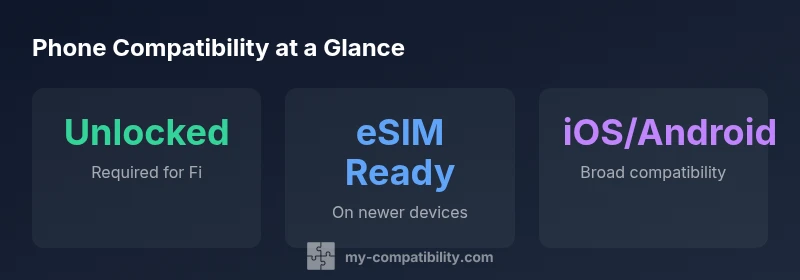
google fi phone compatibility depends on an unlocked device that can use Fi provisioning via SIM or eSIM. In 2026, most modern iPhone and Android smartphones that are carrier-unlocked work with Fi, including devices that support Fi’s eSIM. The My Compatibility team notes that checking device compatibility before purchase saves setup delays and ensures features like hotspot, Visual Voicemail, and reliable calls function as expected.
Understanding google fi phone compatibility
google fi phone compatibility begins with recognizing that the right device unlock status and provisioning determine whether you can use Fi's service. From the My Compatibility perspective, the most reliable path to success is a phone that is unlocked and capable of accepting Fi’s provisioning in either SIM or eSIM form. In 2026, most modern smartphones from major brands fit this model, but there are exceptions. Some regional variants or devices sold by certain carriers include locks or firmware options that block Fi’s activation, which can prevent features such as Visual Voicemail, MMS, or hotspot. By focusing on unlocked, Fi-supported models and checking the device’s default network settings before swapping a SIM card, you can minimize setup delays and ensure a smooth experience across calls, texts, and data. The key is verifying provider compatibility before you buy, so you’ll know what to expect once you insert the SIM or start an eSIM profile.
Unlocked devices: what qualifies
An unlocked device is not tied to a specific carrier and can accept a Fi SIM or an eSIM profile without carrier constraints. To test if your phone is unlocked, insert a SIM from a different carrier and attempt to place a call or browse the web; if the device allows it, the lock is likely removed. For devices you plan to bring to Fi, verify the status of any manufacturer or carrier app that might re-lock the device after a software update. Some models require you to request an unlock from the previous carrier before Fi provisioning. Additionally, ensure that the device is not region-locked to a country where Fi service is limited or absent. If you’re unsure, consult the device’s official support page or your carrier’s customer service. A freshly unlocked phone reduces the risk of network mismatches and helps you take full advantage of Fi features.
Fi network bands and device readiness
Google Fi provisioning relies on devices that can connect to the networks Fi uses, which typically include modern GSM-based bands used by U.S. carriers. The critical factor is that the device supports the bands Fi requires for voice and data in your region. Even with a device unlocked, older models or regional variants may lack certain bands, leading to slower data or dropped calls in some locations. To maximize compatibility, compare your phone’s specifications against Fi’s documented requirements and enable automatic network selection in settings if available. If you plan international travel, check whether Fi offers roaming on your device and whether your model supports the roaming settings you’ll need. In practice, the majority of mid-to-high-end smartphones released in the last five years will meet these criteria, but it’s always wise to confirm before you rely on Fi for daily use.
eSIM vs physical SIM: what changes with Fi
Fi supports both SIM-based provisioning and eSIM on many devices, but not every model offers both options. The choice matters for activation speed and future-proofing. If your device supports eSIM, you can switch between Fi phones without swapping physical SIM cards, which is convenient for family plans or device upgrades. If you’re using a traditional SIM, ensure the device’s SIM slot is not locked, and that the Fi carrier settings are applied during setup. On iPhone models, the eSIM workflow is streamlined, and on many Android phones you can choose between eSIM and a physical SIM in the settings. Some legacy devices might require a full SIM swap, which can add a step in the activation process. Always check your device’s settings and Fi’s official compatibility list before you attempt activation.
iPhone compatibility with Google Fi
Most recent iPhones work with Google Fi as long as they are unlocked and support Fi provisioning. Activation can be achieved via eSIM on many models, while older devices may require a SIM card adapter if supported. When using iPhone, ensure you have the latest iOS version to access Fi’s features such as Visual Voicemail and hotspot on the official Fi network. If you purchased the iPhone directly from Fi, the device will usually come preconfigured to Fi settings. Always confirm regional availability if you’re using an iPhone outside the United States, because some Fi features are region-specific.
Android compatibility with Google Fi
Android devices from major manufacturers generally support Google Fi when unlocked and provisioned. Pixel, Samsung Galaxy, and OnePlus models released in the last several years typically work well with Fi, including both SIM and eSIM activation on compatible devices. However, some carriers in other regions might preload software that interferes with Fi provisioning, so verify that the phone is carrier-unlocked and that you can access Fi’s configuration profile. If your Android device lacks eSIM support, you’ll rely on a physical SIM, which Fi provisions via the standard SIM activation flow. In case of issues, make sure to update the device to the latest Android version and review Fi’s official device compatibility list.
How to verify compatibility for your device
Begin by locating the official Google Fi device compatibility page and search for your exact model and region. Then, check whether the device is unlocked and supports eSIM if you plan to use that option. On Android, you can inspect the device’s SIM status under Settings > About phone > SIM status; on iOS, go to Settings > General > About to see carrier settings. If your device appears on the Fi compatibility list and you have a clean unlock status, you’re likely ready for activation. Before switching, backup data and ensure your carrier settings can be reset if needed. If you cannot find your model, contact Fi support or consult the My Compatibility guide for alternative pathways.
Activation steps on a new device
Once you’ve confirmed compatibility, start activation by installing the Fi app or inserting the Fi SIM/eSIM profile. If using eSIM, scan the QR code or follow the app-based setup prompts to register the device on Fi. For SIM activation, insert the Fi SIM and complete the on-screen instructions to configure APN settings automatically. You may be asked to sign in with your Google account and choose a Fi plan. After activation, test calling, texting, and data by launching a browser and making a quick call to verify service. If you use VoLTE or Visual Voicemail, enable those features in the settings. If the device doesn’t activate, double-check unlock status and re-run the provisioning process. The My Compatibility team suggests keeping a backup plan in case the initial activation fails.
Troubleshooting common issues and edge cases
Some users encounter issues where Fi won’t provision on a valid device, or data stops working after activation. Common fixes include restarting the device, re-applying the Fi profile, and ensuring Fi carrier settings are enabled. For iOS users, reset network settings if necessary and verify that MMS settings are correct for your region. For Android, ensure that the APN settings are correct and that you have not disabled data roaming inadvertently. If you still experience problems, try a different Fi-compatible device to isolate whether the issue is device-specific or account-related. It’s also worth noting that some devices may show “No Service” in regions where Fi has limited coverage; in such cases, consider using Fi on a supported device for that region.
Fi compatibility quick reference
| Category | Fi Compatibility Note | Device Examples |
|---|---|---|
| iPhone models | Unlocked iPhones with current iOS versions are generally compatible via SIM and eSIM | iPhone X, iPhone 12, iPhone 13, iPhone 14, iPhone 15 |
| Android devices | Unlocked Android phones with Fi provisioning support are compatible | Pixel 5, Pixel 6, Galaxy S21, Galaxy S22, Galaxy S23 |
| eSIM availability | Fi supports eSIM on compatible devices; ensure device setting is enabled | Recent iPhones and select Android devices |
Questions & Answers
Does Google Fi work on unlocked devices?
Yes, Fi supports unlocked devices that can provision via SIM or eSIM. Check compatibility for your exact model and region.
Yes, Fi works on unlocked devices that can provision via SIM or eSIM.
Can I use Google Fi with an iPhone?
Yes, most recent iPhones work if unlocked and support Fi provisioning. Activation via eSIM is common on compatible models.
Yes, most iPhones work on Fi if unlocked; eSIM is commonly supported.
Does Google Fi support eSIM on Android devices?
Fi supports eSIM on compatible Android devices; you may need to enable eSIM in settings during provisioning.
Yes, Fi supports eSIM on many Androids.
How can I check if my device is compatible with Google Fi?
Visit Google's Fi device compatibility page and search for your exact model and region; ensure the device is unlocked.
Check Fi’s official page to verify your model and unlock status.
What should I do if my device isn’t compatible?
Consider upgrading to a Fi-supported device or using Fi on a compatible device; consult Fi support for alternatives.
If not compatible, you may need a different device. Check Fi’s guidance.
“The My Compatibility Team emphasizes that true Fi compatibility hinges on unlocked devices and robust provisioning, which minimizes setup friction and ensures feature parity.”
Highlights
- Verify your device is unlocked before Fi setup.
- Choose a device with eSIM support for smoother activation.
- Ensure your model is a recent iPhone or Android with Fi provisioning.
- Check Fi’s compatibility for regional variants and carrier locks.
- Follow the official activation steps to avoid issues.