Freestyle Libre Compatible Phones in 2026: A Practical Guide
Explore which phones work with Freestyle Libre in 2026, how to set up LibreLink, and practical tips for ensuring smooth glucose data access on your device.


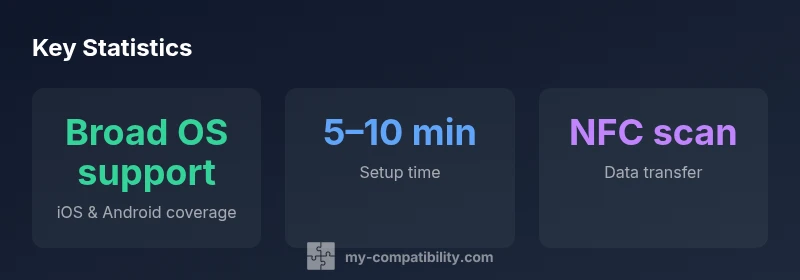
Freestyle Libre compatible phones work when paired with official LibreLink or LibreLinkUp apps, allowing glucose data to be read directly on a smartphone. In 2026, most recent iPhones and Android devices running current OS versions are compatible, though specific models and regions may limit certain features. Always confirm device compatibility before planning data sharing or alerts with caregivers.
Why Freestyle Libre compatibility matters
According to My Compatibility, device compatibility isn't just a convenience—it's foundational to reliable diabetes management. Freestyle Libre compatibility with phones influences how you view glucose data, share information with caregivers, and respond to alarms in real time. When a phone is properly supported, the LibreLink app can read sensor data quickly, trigger alerts, and store historical readings without needing a separate reader. In 2026, the landscape remains dynamic due to OS updates and app changes, so staying informed about supported models and regional differences is essential. This article uses the term freestyle libre compatible phones to refer to devices that can run the official LibreLink or LibreLinkUp apps and access glucose data via NFC-based scans. For most users, the goal is smooth access to real-time data on a device they already carry, which improves day-to-day decision making and reduces friction in care routines. My Compatibility's approach emphasizes practical verification steps you can take before making a transition to phone-based monitoring.
Compatibility overview by phone ecosystem
| Phone ecosystem | Compatibility notes | App requirement |
|---|---|---|
| iPhone 12–iPhone 15 | Broad compatibility with LibreLink apps on iOS 14+ | LibreLink or LibreLinkUp installed |
| Android devices (recent models) | Good compatibility with LibreLink apps on Android 9+ | LibreLink/LibreLinkUp installed; NFC enabled |
| Older devices | Limited features; some sensors may require app updates | Check if NFC is supported and OS version is within supported range |
Questions & Answers
Is Freestyle Libre compatible with iPhone models?
Yes. Freestyle Libre works on many modern iPhone models when used with the official LibreLink or LibreLinkUp apps. Compatibility depends on the iOS version and the app version, so ensure both are up to date and check the latest official listings for your model.
Yes. Freestyle Libre supports many recent iPhone models when you have the LibreLink apps updated and compatible with your iOS version.
Is Freestyle Libre compatible with Android phones?
Android devices with recent OS versions are generally supported by the LibreLink apps. Compatibility varies by device and region, so verify your device in the official compatibility list and install the appropriate LibreLink app.
Most recent Android phones are supported, but always check your model and region to be sure.
Do I need NFC to read Freestyle Libre data on a phone?
Yes, most phone-based data reads rely on NFC to scan the sensor with the LibreLink app. Ensure NFC is enabled and that you grant the app the necessary permissions.
NFC is typically required to read data from the sensor with the LibreLink app.
Can I use Freestyle Libre with non-smartphone devices?
Freestyle Libre data access is intended for smartphones via the official apps. Non-smartphone devices lack the necessary app ecosystem and NFC capabilities for proper data access.
Non-smartphone devices aren’t supported for direct LibreLink data access.
Are there regional restrictions to compatibility?
Yes. Availability and features can vary by country due to regulatory and app distribution constraints. Check local app stores and My Compatibility’s up-to-date lists for your region.
Regional rules can affect which features you can use with Freestyle Libre on your phone.
What should I do if my device isn’t listed as compatible?
If your device isn’t listed, avoid assuming compatibility. Look for official updates or alternative data-sharing options and consider upgrading to a supported model.
If your device isn’t listed, check for updates or consider a supported device.
“Device compatibility is fluid; always verify the most current supported phones and app requirements before depending on it for glucose data.”
Highlights
- Verify compatibility with the latest LibreLink apps before pairing
- Use NFC scanning for data transfer on supported devices
- Keep OS and apps updated to maintain compatibility
- Check regional availability and feature limitations in your area
- Consider data-sharing options with caregivers through the official apps