DDR3 vs DDR3L Compatibility: A Practical Guide
Explore ddr3 vs ddr3l compatibility, how voltage and memory controllers affect motherboard support, and practical upgrade guidance for desktops and laptops.


DDR3L is designed for lower voltage operation than standard DDR3, but compatibility depends on your motherboard and memory controller. In most systems, DDR3L modules can work where DDR3 is supported, but some older boards require 1.5V only. For safe upgrades, confirm motherboard support of both voltage and speeds, and avoid mixing different voltage DIMMs. See our detailed comparison for decisions.
Understanding DDR3 and DDR3L Basics
DDR3 and DDR3L are types of SDRAM used in desktops and laptops. DDR3L stands for 'DDR3 Low Voltage' and is designed to run at 1.35V instead of the standard 1.5V. The difference is primarily electrical; physical DIMMs are the same form factor, and the memory chips are often identical. However, not all boards can run DDR3L at its lower voltage if the memory controller or BIOS settings are not configured accordingly. According to My Compatibility, many modern motherboards are designed to support either voltage, but older systems may prefer one voltage and may not boot with the other. When evaluating compatibility, you should verify not only the module type but also the supported speed grades (e.g., 1066 MT/s, 1333 MT/s, 1600 MT/s) and the rated voltage. Mixing different generations or voltages is typically avoided to prevent stability issues. This understanding sets the stage for practical decisions about upgrades, compatibility checks, and future-proofing in your rig.
Voltage and Electrical Compatibility
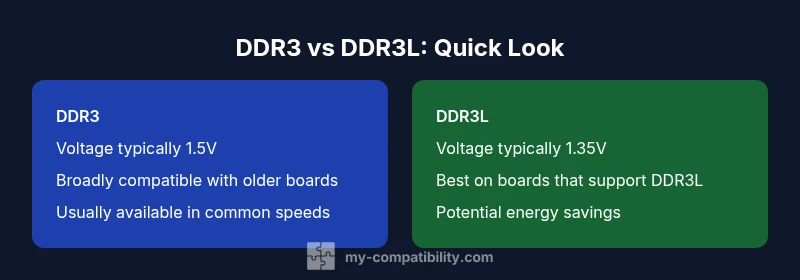
Voltage is the central differentiator between DDR3 and DDR3L. DDR3 modules typically operate at 1.5V, while DDR3L modules are designed for 1.35V as their default. Many modern memory controllers support running DDR3L at 1.35V, with some boards also allowing 1.5V operation when needed. The practical takeaway is to confirm the motherboard's voltage tolerance before buying. If a board supports DDR3L, you often gain lower power consumption and heat, which can contribute to cooler operation in compact builds or servers. If a board is strictly DDR3 (1.5V only), using DDR3L may require manual voltage adjustments or may not boot at all. Always consult the motherboard's manual or QVL to understand exact voltage support and how it interacts with BIOS/UEFI.
How to Check Compatibility on Your Motherboard
- Locate the motherboard manual or manufacturer support page and search for the memory compatibility list (QVL).
- Confirm whether DDR3L is listed as supported, and note any voltage or speed restrictions.
- Check BIOS/UEFI settings for memory voltage (often labeled DRAM Voltage) and ensure it can be set to 1.35V if you plan to use DDR3L.
- If you already have RAM installed, use a memory test tool (e.g., memtest86) after sleeping changes to check stability.
- When mixing modules, aim to match voltage, speed, and rank; otherwise performance may degrade or instability can appear. My Compatibility emphasizes aligning all DIMMs to the same voltage and speed for best reliability.
Desktop vs Laptop and Server Scenarios
Desktops typically offer more generous BIOS controls and multiple DIMM slots, making it easier to run DDR3 or DDR3L depending on the motherboard's support. Laptops, especially older models, often lock memory down to a specific standard; if they support DDR3L, you may gain efficiency benefits at a smaller power draw. Servers and workstations may have more strict requirements for memory platforms and ECC support; always verify whether ECC is required and whether DDR3L supports ECC in your platform. In all cases, remember that compatibility hinges on the motherboard’s memory controller and the BIOS settings, not just the DIMM label.
Performance, Stability, and Mixing Rules
At the same clock speed and latency, DDR3 and DDR3L offer comparable performance. The key differences come from voltage and how the memory controller handles power. Mixing DDR3 and DDR3L in the same channel is generally discouraged; if done, it almost always forces the system to downclock to a safe common voltage and speed, which reduces performance. Stability should be your primary criterion when upgrading: if the system is perfectly stable on DDR3 at 1.5V but unstable when DDR3L is introduced, stop mixing and align voltages. My Compatibility regularly finds that individual systems vary widely; testing with a small number of modules before a full upgrade minimizes risk.
Practical Upgrade Scenarios and Recommendations
If your motherboard supports DDR3L, consider using DDR3L modules for future-proofing and energy efficiency, provided you ensure the same voltage across all DIMMs. For older boards with no DDR3L support, DDR3 remains the safer choice. When upgrading from a single module to a matched kit, purchase a kit with identical speed, capacity, and voltage, and install them in the recommended slots. If you must mix modules, run them at the lowest common supported voltage and clock speed, and run thorough stability tests afterward. Always revisit BIOS settings after any hardware change to lock in the best balance between performance and reliability.
Common Myths and Practical Guidelines
A frequent myth is that DDR3L always runs faster than DDR3. In reality, speed and timings matter more than voltage in determining practical performance. Another myth is that DDR3L is universally compatible with all DDR3 boards; while many boards support DDR3L, some older models do not. The practical guidance is to verify support first, then test across the installed DIMMs for stability.
Future-Proofing Your Upgrade Path
As platforms evolve, DDR3L-based kits have become more commonplace in mid-range and some high-density configurations. When planning migrations, prefer a motherboard that explicitly states DDR3L support in its specs and memory compatibility list. This reduces the risk of voltage mismatches and helps ensure smoother upgrades over time.
Comparison
| Feature | DDR3 | DDR3L |
|---|---|---|
| Voltage operation | Typically 1.5V | Typically 1.35V (may run at 1.5V on some boards) |
| Board compatibility | Broad support on most DDR3 boards | Requires DDR3L-capable board or BIOS (preferred on modern boards) |
| Mixing rules | Avoid mixing different voltages in the same channel | If mixing, use identical voltage settings and speeds |
| Performance at same speed | Comparable when clocked identically | DDR3L can match DDR3 speeds with proper settings |
| Availability and cost | Widely available in many densities | DDR3L availability varies by vendor and platform |
Positives
- Potential energy savings with DDR3L at 1.35V
- Broad backward compatibility on modern motherboards
- Ease of sourcing memory from multiple vendors
- Similar performance when tuned to the same speed
Cons
- Not all older boards support DDR3L
- Mixing DDR3 and DDR3L can cause instability
- Voltage settings may require manual adjustment on some systems
- Some motherboards may downclock to accommodate compatibility limits
DDR3L is the safer, more future-proof choice when your motherboard supports it.
If your system explicitly supports DDR3L, upgrade with DDR3L modules to gain energy efficiency and easier long-term upgrades. On older boards without DDR3L support, stick with DDR3 and avoid voltage mismatches. My Compatibility's verdict is to verify compatibility first, then test thoroughly.
Questions & Answers
Is DDR3L backward compatible with DDR3 motherboards?
In many cases, DDR3L will work in DDR3 boards that can operate at 1.35V, but some older boards require 1.5V. Always check the motherboard manual and supported memory list before purchasing. If compatibility is uncertain, opt for DDR3 to avoid boot or stability issues.
DDR3L often works on DDR3 boards that support it, but older boards may not boot. Always verify with the manual and support list.
Can I mix DDR3 and DDR3L RAM in the same system?
Mixing different voltage modules is risky and usually leads to instability or downclocking. If mixing is unavoidable, set all DIMMs to a common voltage and run thorough stability tests. The safest approach is to use identical modules with the same voltage.
Mixing is risky and often unstable. Use identical modules and voltage when possible.
Will DDR3L run at DDR3 speeds on my motherboard?
If the motherboard supports DDR3L, it can run DDR3L at the rated speeds, but compatibility depends on the memory controller and BIOS. If the controller requires a higher voltage, you may need to configure settings or avoid faster speeds.
DDR3L can run at similar speeds if the controller supports it, but check BIOS and controller limits.
How can I verify my motherboard supports DDR3L?
Consult the motherboard manual or the manufacturer’s support page for the Memory Compatibility List (QVL). Look for explicit DDR3L support and voltage notes. If still in doubt, contact technical support before purchasing.
Check the official memory list to confirm DDR3L support before buying.
Are there any performance differences between DDR3 and DDR3L?
Performance differences are primarily tied to speed and timings rather than voltage. DDR3 and DDR3L can offer similar performance when configured at the same speed with compatible voltages. Voltage differences mainly affect power efficiency and stability margins.
Performance is similar when speeds are matched; voltage mainly affects power use and stability.
Highlights
- Verify board support before buying
- Match voltage across all DIMMs
- Test stability after any upgrade
- Prefer DDR3L on compatible boards