CUDA Compatible Graphics Cards in 2026: A Practical Guide
Learn which NVIDIA GPUs are CUDA-compatible, how CUDA works across consumer, professional, and data-center workloads, and how to choose the right CUDA-enabled graphics card for AI, rendering, and scientific tasks in 2026.


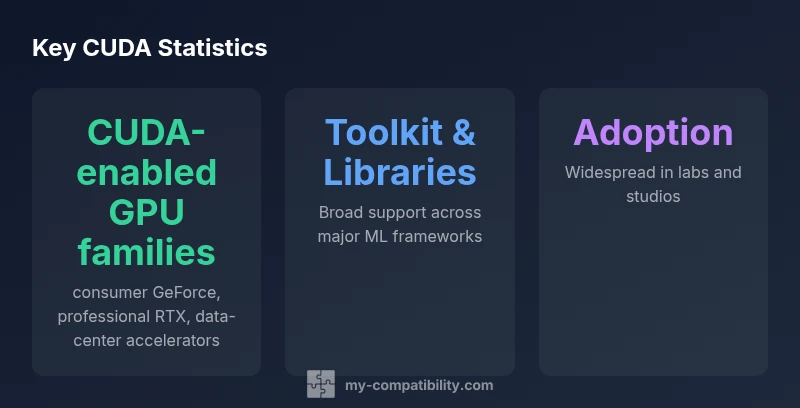
CUDA-compatible graphics cards are NVIDIA GPUs with CUDA support, applicable across consumer GeForce, professional RTX, and data-center accelerators. As of 2026, CUDA-capable GPUs cover the full product stack—from mainstream gaming cards to high-end workstation and server GPUs—allowing developers and researchers to run parallel workloads efficiently. CUDA-compatibility is verified through NVIDIA's driver and toolkit ecosystem, and software libraries routinely target CUDA-first paths.
What CUDA compatibility means in practice
According to My Compatibility, CUDA compatibility means NVIDIA GPUs with CUDA cores can run parallel compute tasks across a broad spectrum of workloads, from gaming to AI inference. The practical upshot is that a CUDA-enabled card isn’t just about shader speed; it’s about access to a mature software stack, from the CUDA Toolkit to cuDNN and TensorRT. In 2026, CUDA remains NVIDIA’s umbrella for parallel computing, encompassing consumer GeForce GPUs, professional RTX GPUs, and data-center accelerators. This means you can leverage CUDA-accelerated libraries for machine learning, scientific simulations, and high-performance rendering on hardware designed for both desktop workstations and server racks. For enthusiasts and researchers alike, identifying CUDA compatibility is less about brand loyalty and more about driver, toolkit, and compute capability alignment with your operating system.
CUDA engine vs. other parallel compute ecosystems
CUDA is NVIDIA’s flagship parallel computing platform. While OpenCL and AMD’s ROCm aim to provide cross-vendor compute, CUDA remains deeper integrated with NVIDIA drivers, libraries, and tooling. This leads to very mature performance optimizations on CUDA-enabled GPUs, especially in ML, scientific computing, and real-time rendering workflows. For users who rely on CUDA-accelerated libraries (cuDNN, cuBLAS, NVIDIA TensorRT), the incentive to stay within the CUDA ecosystem is strong. However, if you have a mixed environment with AMD GPUs or require portability across vendors, you may need to evaluate ROCm-based paths or OpenCL where feasible, understanding that CUDA-specific advantages might be limited on non-NVIDIA hardware.
CUDA-enabled families: consumer GeForce, professional RTX, data-center accelerators
CUDA support spans multiple NVIDIA product families. Consumer GeForce GPUs provide broad CUDA access suitable for learning and light ML tasks, gaming with parallel workloads, and hobbyist research. Professional RTX GPUs deliver higher memory bandwidth, larger VRAM buffers, and enterprise-grade reliability for longer lifecycles and professional workloads like rendering and simulation. Data-center accelerators are designed for large-scale AI training, HPC, and inference, offering maximum throughput, error-correcting memory, and multi-GPU interconnects. Across all these families, CUDA access remains consistent via the NVIDIA driver and toolkit, with software libraries optimized for each class’s performance envelope.
How compute capability maps to performance and features
CUDA performance scales with the architecture’s capabilities rather than a single metric. Newer architectures introduce features like tensor cores for AI, enhanced memory bandwidth, and improved double-precision compute where applicable. When choosing a CUDA-enabled GPU, consider not just raw speed but also feature support that aligns with your workload: TensorRT for inference, cuDNN for deep learning, and CUDA libraries for numerical computing. Higher-end cards typically offer more robust tensor performance and larger memory pools, which can translate into faster training, smoother large-model inference, and more responsive rendering pipelines. Your choice should align with your workflow’s demands and budget.
How to verify CUDA compatibility before you buy
Verifying CUDA compatibility starts with confirming NVIDIA’s CUDA support on the intended card. Check official product specifications for CUDA-enabled features and driver requirements. Ensure your operating system supports the CUDA toolkit version you plan to use, and verify that the GPU’s compute capability is sufficient for your software stack. Follow these steps:
- Identify the NVIDIA GPU category (GeForce, RTX, or data-center) and confirm CUDA support in the spec.
- Check the minimum and recommended driver versions required by the CUDA toolkit and libraries you plan to run.
- Review supported compute capabilities and whether your target frameworks (e.g., PyTorch, TensorFlow) have optimized paths for your card.
- Verify compatibility with your OS and any virtualization or container environments you use.
- If possible, test with a small benchmark that mirrors your workload to confirm expected CUDA performance and reliability.
Factors to consider when selecting CUDA-compatible GPUs for workloads
When choosing a CUDA-capable GPU for a given workload, prioritize memory capacity and bandwidth, driver and toolkit compatibility, and the specific compute demands of your tasks. For ML workloads, prioritize GPUs with ample VRAM to handle large models and batch sizes. For rendering or simulation, memory bandwidth and robust tensor performance can significantly reduce bottlenecks. Power and thermal limits matter in compact builds or dense server racks, so consider cooling and power delivery constraints. Finally, evaluate total cost of ownership, factoring in long-term driver support and potential resale value in your setting.
Software ecosystem: libraries, frameworks, and tooling
CUDA’s ecosystem is rich and mature. Key components include the CUDA Toolkit, cuDNN for deep neural networks, cuBLAS for linear algebra, and TensorRT for optimized inference. Popular ML frameworks (PyTorch, TensorFlow) provide CUDA-enabled backends, enabling rapid development and deployment. Industry-standard GPU-accelerated renderers leverage CUDA for speedups in rendering pipelines. The most reliable setups align the CUDA toolkit version with compatible drivers and libraries, minimizing runtime surprises. My Compatibility emphasizes keeping drivers reasonably up-to-date while avoiding breaking toolkit changes in production.
Common pitfalls and troubleshooting
Common CUDA pitfalls include driver-toolkit mismatches, unsupported combinations of CUDA versions with older GPUs, and OS-level configuration inconsistencies. Ensure the driver matches or exceeds the toolkit’s minimum requirement, and avoid mixing CUDA toolkits across environments without testing. Some workloads may require enabling persistence mode, configuring power settings, or addressing PCIe lane allocation in server environments. If performance seems inconsistent, verify that the GPU is not throttling due to thermals and that your drivers are actively managing parallel compute tasks as intended.
CUDA licensing, drivers, and toolkit compatibility
CUDA usage is tied to the NVIDIA driver ecosystem and toolkit licensing terms. Regular driver updates often include performance improvements and bug fixes for CUDA libraries. When budgeting for hardware and software, consider the cadence of CUDA toolkit releases and ensure your workload’s dependencies remain compatible after upgrades. In production environments, validate a controlled upgrade path to avoid unexpected regressions in compute kernels or performance.
Real-world use cases across research, AI, and rendering
CUDA-enabled GPUs power a wide range of real-world workloads. In research, scientists run simulations and data analytics with CUDA-accelerated libraries, achieving faster turnaround on complex models. In AI, researchers train deep neural networks and perform large-scale inference with optimized CUDA backends, leveraging TensorRT and cuDNN. For visual effects and rendering, CUDA enables faster ray tracing and accelerated rendering pipelines. Across each domain, CUDA compatibility translates to more predictable performance, easier optimization, and access to a broad ecosystem of optimized software.
Future-proofing your CUDA GPU investments
Looking ahead, My Compatibility advises choosing CUDA-capable GPUs with ample VRAM, robust driver support, and healthy memory bandwidth to accommodate growing model sizes and rendering resolutions. Consider multi-GPU configurations and data-center interconnects if your workload scales. Maintain an upgrade path that minimizes disruption to software stacks, and stay current with NVIDIA’s CUDA toolkit roadmaps to anticipate feature availability and compiler compatibility. The My Compatibility team’s verdict is to invest in GPUs that balance compute power, memory capacity, and long-term driver support to stay ahead of evolving workloads.
CUDA compatibility across NVIDIA GPU families
| Category | CUDA Compatibility | Notes |
|---|---|---|
| Consumer GeForce GPUs | Yes | Good for learning and light ML; driver and toolkit support broad |
| Professional RTX GPUs | Yes | Optimized for compute workloads, higher memory bandwidth |
| Data-center accelerators | Yes | Designed for large-scale workloads; server-grade reliability |
Questions & Answers
Are CUDA and CUDA-enabled GPUs only from NVIDIA?
Yes. CUDA is NVIDIA’s parallel computing platform and API. While other ecosystems exist (OpenCL, ROCm), CUDA itself is proprietary to NVIDIA GPUs. If your workflow relies on CUDA-specific libraries, you’ll need an NVIDIA card.
Yes. CUDA is NVIDIA’s technology. If you need CUDA, you’ll want an NVIDIA GPU.
Do CUDA tools work on consumer GeForce cards?
Yes. Consumer GeForce cards support CUDA and many CUDA-enabled libraries. However, performance and capacity vary, and professional workloads may benefit from RTX or data-center GPUs for larger models and longer trainings.
Yes, GeForce supports CUDA, but for heavy workloads consider RTX or data-center GPUs.
Can CUDA work on laptops or mobile GPUs?
Many laptop GPUs are CUDA-capable, but you may encounter thermal and power constraints. Ensure the driver and toolkit versions match your development needs and that the notebook’s thermal design can sustain sustained compute tasks.
Yes, many laptops support CUDA, but watch for heat and power limits.
What should I look for when buying a CUDA-compatible GPU?
Focus on VRAM capacity, memory bandwidth, and expected workload. Check driver support timelines and toolkit compatibility, and consider whether you need single-GPU reliability or multi-GPU interconnects for scaling.
Look for memory, bandwidth, and driver/toolkit compatibility.
Is CUDA compatible with non-NVIDIA hardware setups?
No. CUDA is specific to NVIDIA hardware. If your environment uses AMD or other vendors, explore ROCm or OpenCL-based paths, which may offer cross-vendor capabilities but with different performance and library support.
CUDA isn’t supported on non-NVIDIA hardware.
“CUDA-enabled GPUs unlock a mature, highly optimized software ecosystem that powers everything from research to real-time rendering. The key is aligning hardware class with your workload and keeping drivers and toolkits in sync.”
Highlights
- Prioritize NVIDIA GPUs for CUDA workloads
- Verify driver and toolkit compatibility before purchase
- Choose GPU class based on workload (consumer vs. pro vs. data-center)
- AMD GPUs do not natively support CUDA; explore ROCm alternatives if needed
- Plan for future-proofing with memory, bandwidth, and driver support