Camera Compatibility with Nest: A 2026 Guide
Discover which cameras are camera compatible with Nest, how to verify compatibility, setup tips, and privacy considerations for a secure Google Home ecosystem.


According to My Compatibility, a camera that is compatible with Nest typically works with Google Home for live streaming and voice control, while direct Nest app integration is limited to Nest cameras. Look for cameras that support Google Assistant or Chromecast for Nest displays. In practice, choose a camera with robust Wi‑Fi, privacy features, and easy setup in the Google Home app.
Understanding Nest compatibility landscape
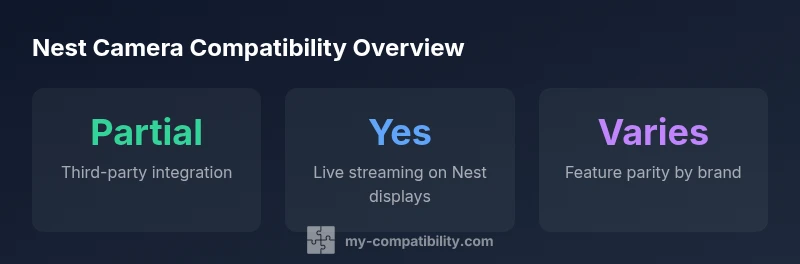
In 2026, camera compatibility with Nest is best understood through two pathways: native Nest cameras that integrate directly with the Nest app, and third-party cameras that connect via Google Assistant and Google Home. The Nest ecosystem is designed to centralize control through Google’s smart-home framework, which means streams, alerts, and voice commands often travel through Google’s infrastructure rather than the Nest app alone. When evaluating third-party devices, look for explicit Google Assistant support, Chromecast compatibility for Nest displays, or a 'Works with Google Assistant' badge. Privacy features, firmware update cycles, and on-device processing are important considerations because they affect performance and data handling. In practice, you can mix cameras from different brands with Nest displays, but feature parity—such as cloud storage options, motion-zone customization, and local recording—may vary. This maps out expected capabilities so you can plan a secure setup.
How to verify compatibility before buying
Start by checking the camera’s product pages for Google Assistant or Works with Google Assistant branding, then confirm it appears in the Google Home app as a device you can add. Search for Nest compatibility statements in the manufacturer’s documentation and reviews from major outlets. Consider the streaming path: does the camera stream directly to Nest displays via Google Assistant, or does it require the Google Home app as an intermediary? Pay attention to privacy options such as cloud storage region, data retention, and on/off microphone switches. Finally, read user reviews focusing on setup reliability, and look for firmware update frequency. If you’re uncertain, contact the vendor’s support before purchasing to confirm current compatibility status.
Setup and daily use tips
Begin by adding the camera through the Google Home app, assign it to a room, and link it to your Nest display routines. Use voice commands via Google Assistant for quick checks (for example, 'Hey Google, show the backyard camera on the Nest Hub'). Keep camera firmware up to date to maintain compatibility with evolving Nest features. For privacy, enable camera shutters when you’re home, review app permissions, and configure activity zones carefully to reduce false alerts. If you use multiple cameras, consider organizing them by location in the Google Home app and creating routines that automatically show a stream on Nest displays when you arrive home or someone rings the doorbell.
Privacy and security considerations
Third-party cameras that work with Nest still transmit data through Google’s ecosystem, so review data sharing settings and permissions in both Google Home and the camera’s companion app. Enable two-factor authentication on your accounts and enable automatic firmware updates where possible. If privacy is paramount, look for cameras that support local storage options or on-device processing and provide a physical camera cover. Regular privacy audits—like disabling unnecessary cloud features when not needed—help maintain a tighter security posture across your Nest-enabled setup.
Real-world scenarios and examples
Example 1: You have a Nest Hub Max in the living room and a third-party outdoor camera that supports Google Assistant. You can view the outdoor feed on the Nest display by asking, 'Hey Google, show the backyard camera.' The experience is streamlined, but you may not have full Nest app control if the camera isn’t a Nest product. Example 2: In a multi-story home, you add a couple of cameras that support Google Assistant to the Google Home ecosystem and assign them to different rooms. When someone rings the doorbell or triggers motion, you can quickly pull up the relevant feed on any Nest display. These scenarios illustrate practical arrangements, but always verify whether your preferred privacy and recording features are accessible through the Nest interface or solely through Google Home.
Nest compatibility overview by camera type
| Camera Type | Nest Compatibility | Notes |
|---|---|---|
| Nest-style cameras | Fully compatible | Native Nest app integration and features |
| Third-party cameras | Partial compatibility | View via Google Home/Assistant; limited Nest features |
| Unknown brands (generic) | Depends on Google Assistant support | Check device docs; parity varies |
Questions & Answers
Can I use any camera with Nest?
No. Direct Nest app integration is generally limited to Nest cameras. Third-party cameras can be viewed on Nest displays via Google Home/Assistant, but features vary. Always verify compatibility before buying.
No—most cameras require Google Assistant to display on Nest devices, and feature parity isn't guaranteed.
What features are supported for third-party cameras with Nest?
Supported features typically include live streaming to Nest displays and basic motion alerts via Google Assistant. Recording options, cloud storage, and advanced zones depend on the camera and Google ecosystem setup.
Live streaming is common; advanced features depend on the device and Google Home integration.
How do I check compatibility before buying?
Look for Google Assistant support, Chromecast streaming, and Nest display compatibility. Verify in Google Home and the camera’s docs, and read reviews focusing on setup reliability.
Check for Google Assistant compatibility and Nest display support in the product docs.
Do Nest cameras work with non-Nest ecosystems?
Yes, through Google Home/Assistant, but some Nest-specific features may be unavailable. Use this as a bridge rather than a full integration.
Yes, via Google Home, but expect some feature limitations.
Are there privacy concerns with third-party cameras?
Privacy considerations include data sharing settings, cloud storage policies, and potential exposure of feeds to multiple accounts. Prefer cameras with strong privacy controls and on-device processing where possible.
Privacy controls matter—turn on two-factor authentication and review sharing settings.
“Direct Nest app integration with third-party cameras remains limited; the most reliable path is to use cameras that support Google Assistant for display streaming.”
Highlights
- Verify Nest integration status before purchase
- Prioritize Google Assistant-supported cameras for Nest displays
- Enable privacy controls and regular firmware updates
- Review official docs and user feedback before buying
- Test live streaming on a Nest display before committing