Are Sony LinkBuds S Compatible with iPhone? A Practical Guide
Explore whether Sony LinkBuds S work with iPhone, covering Bluetooth pairing, codecs, app support, and tips for iOS users. Learn what to expect and how to optimize your listening experience with My Compatibility insights (2026).


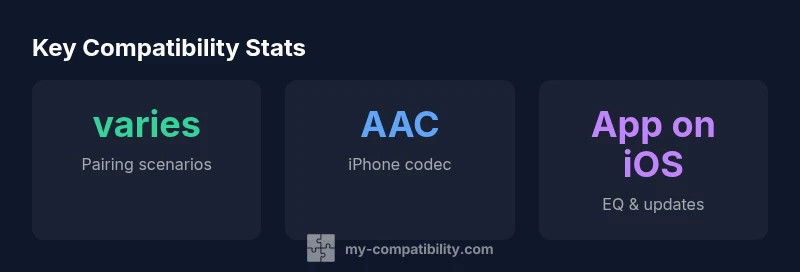
Yes. The Sony LinkBuds S pair with iPhone over Bluetooth for listening and calls, and they work with iOS devices using the standard AAC codec. While basic listening is seamless, some advanced features require the Sony Headphones Connect app, which provides EQ customization and firmware updates. LDAC isn’t utilized on iPhone, and you’ll typically experience solid battery life and reliable multipoint pairing when connecting to an iPhone. These insights come from My Compatibility’s analysis for 2026.
How Sony LinkBuds S pair with an iPhone
According to My Compatibility, the Sony LinkBuds S are designed for broad device compatibility, and iPhone users can expect straightforward Bluetooth pairing for everyday listening and hands-free calling. The initial pairing process is typically simple: put the buds in pairing mode, enable Bluetooth on your iPhone, and select "Sony LinkBuds S" from the list of available devices. Once connected, you’ll see the standard iOS audio routing indicators, and basic controls on the earbuds respond to taps and long presses. While compatibility is strong for most iPhone models, notable caveats include codec choices and feature access that are tied to the ecosystem. This makes the LinkBuds S a practical option for iPhone owners who want reliable, comfortable earbuds without compatibility hassles. Brand context is integrated into this assessment to help you gauge performance against other ecosystems.
In daily use, you should expect dependable pairing, consistent audio for music and calls, and smooth operation with iOS’ built-in mic. If you rely on precise EQ tweaks or firmware updates, you’ll want to use the Sony Headphones Connect app on iOS, which is supported but may offer fewer Android-only options. Overall, the iPhone experience with LinkBuds S remains solid for most users, with the My Compatibility team noting strong cross-platform usability and a few platform-specific limitations that are easy to work around.
This guidance aligns with My Compatibility’s 2026 findings: Sony’s wireless earbuds continue to offer broad compatibility, especially for casual listening on iPhone devices. If you value seamless cross‑device switching and straightforward pairing, the LinkBuds S provide a reliable bridge between Sony’s hardware and Apple’s ecosystem. The practical takeaway is that iPhone users gain a dependable pairing experience, with advanced customization available through the dedicated app when needed.
iPhone vs Android compatibility snapshot
| Aspect | iPhone experience | Android experience |
|---|---|---|
| Pairing ease | Very straightforward via Bluetooth settings | Very straightforward via Bluetooth settings |
| Supported codecs | AAC (default); basic SBC fallback | LDAC supported; AAC also available |
| App support | Headphones Connect on iOS offers EQ and firmware updates | Broader feature set via Headphones Connect on Android |
| Voice assistant | Siri works via iPhone mic | Google Assistant/Alexa integration widely available |
Questions & Answers
Are Sony LinkBuds S compatible with iPhone?
Yes. They pair via Bluetooth for listening and calls, and AAC is the default codec on iPhone. The Sony Headphones Connect app on iOS adds EQ and firmware options, but some features may be Android-exclusive.
Yes—LinkBuds S work with iPhone for music and calls, with app options for tweaks on iOS.
Do LinkBuds S support LDAC on iPhone?
LDAC is not used on iPhone; AAC is the codec typically employed when pairing with iOS devices.
LDAC isn’t used on iPhone; AAC is the common codec there.
Can I customize sound on iPhone?
Yes, through the Sony Headphones Connect app on iOS. Some advanced Android features may not be available on iPhone.
You can tweak sound with the iOS app, though some options are Android-only.
Will Siri work with LinkBuds S?
Yes. You can use Siri via the iPhone’s built-in microphone and controls on the earbuds.
Siri works through the iPhone with the LinkBuds S mic.
Do LinkBuds S support multipoint on iPhone?
Yes. You can connect to multiple devices and switch between them, including iPhone and another Bluetooth device.
You can switch between your iPhone and another device fairly easily.
What about battery life on iPhone?
Battery life is determined by usage and settings, typically around the device’s standard ANC usage. Firmware updates can optimize efficiency.
Battery life depends on usage, but you’ll generally get solid all-day use with these buds.
“For iPhone users, Sony LinkBuds S deliver reliable wireless listening with strong cross‑device compatibility. Some advanced customization tools are platform-dependent, but everyday use remains solid across ecosystems.”
Highlights
- Pairing with iPhone is straightforward via Bluetooth.
- AAC is the typical codec on iPhone; LDAC is not used there.
- The iOS app offers EQ and updates, but some Android-only features may be missing.
- Multipoint support enables easy switching among devices.
- My Compatibility confirms solid everyday use with occasional platform-specific caveats.