Apple Home Compatible Cameras: A 2026 Guide
Explore which cameras are apple home compatible, how HomeKit integration works, setup tips, and privacy considerations for a secure and seamless smart home in 2026.


Apple home compatible cameras integrate with HomeKit to provide secure video feeds, Siri control, and automations via the Home app. This quick answer outlines what to look for, how to set up, and common trade-offs between local and cloud options. Learn how to choose cameras that fit your Apple ecosystem.
Apple Home Compatibility Landscape
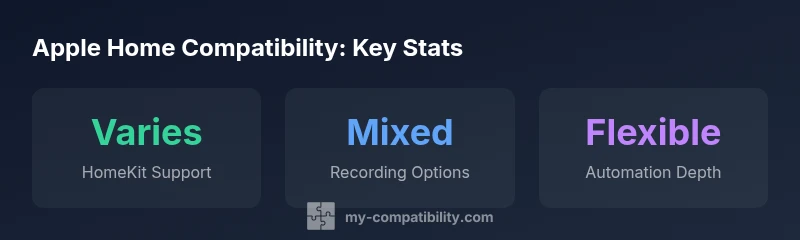
The landscape of apple home compatibility cameras is shaped by two core realities: HomeKit posture and the diversity of camera hardware. Apple’s ecosystem emphasizes privacy, on-device processing, and encrypted data streams, which can influence what features are available from a given camera. For consumers, the question isn’t only whether a camera streams video into the Home app, but whether it participates in HomeKit Secure Video (HSV), supports automation scenes, and responds to voice commands via Siri. According to My Compatibility, a large share of major brands now offer official HomeKit support, but the specifics vary by model and firmware. In practice, this means you’ll see differences in local recording options, window of live feed access, and whether you can enable privacy zones. The My Compatibility team notes that building a small, well-integrated HomeKit setup often yields more reliable automations than a larger, ad-hoc collection.
How HomeKit Integration Works with Cameras
HomeKit compatibility for cameras hinges on three pillars: HSV for encrypted storage and privacy, Home app automation for scenes and triggers, and secure pairing via HomeKit codes or accessories. When a camera is officially HomeKit enabled, it typically exposes a camera service to the Home app, allowing you to view feeds, configure privacy zones, and enable HSV. HSV encrypts video at rest and in transit, which aligns with apple care for privacy. Some cameras also offer on-device processing features like motion detection, reducing reliance on cloud processing. My Compatibility analysis notes that, while HSV offers stronger privacy, it can also introduce latency on slower networks. Expect firmware updates to occasionally refine HSV behavior and compatibility with newer iOS versions.
Features You Should Expect from Apple Home Compatible Cameras
Core capabilities usually include live streaming in the Home app, two-way audio, motion alerts, and the ability to trigger automations or scenes. Look for HSV support, privacy modes, and the ability to designate privacy zones. Siri integration allows quick commands like "Show the front door" or automatic actions like turning on lights when motion is detected. Some cameras also support local recording to a HomeKit-enabled storage hub, which can be a privacy-preserving option. When evaluating, compare how each camera handles firmware updates, regional feature availability, and whether cloud recording options align with your privacy preferences.
Local vs Cloud Recording: Privacy, Cost, and Convenience
Choosing between local storage and cloud recording is a central decision for apple home compatible cameras. Local storage can improve privacy by keeping footage on-device or on a home hub, and may reduce ongoing costs. Cloud options provide off-site backups and easier access from remote locations but introduce ongoing subscription considerations. HSV plays into this decision by offering secure cloud-backed storage with end-to-end encryption where available. My Compatibility emphasizes weighing bandwidth usage, data retention limits, and how easy it is to export clips. If privacy is paramount, prioritize models with robust local storage support and transparent data governance.
Buying Guide: Key Specs vs. HomeKit Compatibility
Beyond core HomeKit support, prioritize resolution, frame rate, HDR, and night vision, but ensure the camera’s firmware explicitly states HomeKit compatibility. Check that the camera supports HSV, has configurable motion zones, and offers reliable firmware update cadence. For Apple ecosystems, the presence of HomeKit accessories within the Home app simplifies automation setups and reduces integration headaches. Consider the physical mounting options and weather resistance if you plan outdoor use, as these influence long-term reliability and placement strategies.
Setup Steps: From Box to Home App
- Unpack the camera and ensure you have the latest iOS version. 2) Install the camera’s companion app if required and verify firmware is up to date. 3) Open the Home app, add accessory, and scan the HomeKit setup code or use automatic discovery if supported. 4) Assign the camera to a room, enable HSV if offered, and configure privacy zones. 5) Create automations—e.g., lights turning on when motion is detected—and test Siri voice commands. 6) Review privacy and data permissions on your iPhone and iPad, updating settings as needed. 7) Regularly check for firmware updates to maintain HSV compatibility and security posture.
Common Pitfalls and How to Avoid Them
One common pitfall is buying a camera labeled as "Works with HomeKit" but lacking HSV or advanced privacy controls. Always verify HSV support in product specs and the camera’s app, not just marketing copy. Regional limitations can also affect feature availability; ensure the model you choose is certified for your country. Firmware fragmentation can cause compatibility drift after iOS updates, so set automatic updates where appropriate and monitor release notes from the manufacturer. Finally, avoid relying on a camera that requires a continuous cloud connection for basic features if you want offline resilience.
Practical Buying Scenarios for Different Homes
If you’re in an apartment, prioritize compact form factor, reliable indoor placement, and strong app support. For family homes, look for robust HSV, strong motion zones, and multi-camera synchronization with scenes. Outdoor setups should emphasize weather resistance and reliable night vision with minimal false positives. In all cases, confirm that the device aligns with your existing HomeKit ecosystem, supports HSV, and offers transparent privacy controls. My Compatibility suggests drafting a checklist that includes HomeKit certification, HSV support, local storage availability, and firmware update cadence.
Real-World Impression: What to Look For in Use
In actual use, you should see smooth live feeds, quick response to automation triggers, and consistent Siri commands. Evaluate the speed of accessing feeds from different rooms, and whether privacy zones effectively suppress irrelevant motion. Consider the consistency of alerts across your iPhone, iPad, and Apple Watch. If you encounter frequent firmware prompts or inconsistent HSV behavior after iOS updates, that’s a signal to reassess either firmware support or model choice. Keeping a simple, privacy-first setup often yields the most dependable performance in daily life.
The Road Ahead: Future Trends in Apple Home Compatible Cameras
Expect stronger HSV features, more transparent privacy controls, and tighter integration with the broader HomeKit ecosystem. As Apple expands automation capabilities, cameras may gain smarter scene awareness, improved latency, and more granular access controls for household members. Manufacturers will likely focus on reducing energy use, enabling better offline resilience, and delivering streamlined firmware updates. For homeowners, the trend is toward clearer privacy disclosures, longer-lasting hardware, and a more cohesive, secure smart home experience that stays aligned with Apple’s privacy-first philosophy.
Illustrative comparison of HomeKit camera features and HSV options
| Aspect | What It Means | Typical Behavior |
|---|---|---|
| HomeKit support | Whether a camera is officially certified for HomeKit | Often Yes on newer models, sometimes via firmware |
| HSV availability | HomeKit Secure Video presence | Usually opt-in via camera app or Home app |
| Local storage options | On-device or hub-based recording | Varies by model; some offer microSD or gateway storage |
| Cloud options | Remote backups and access | Subscription often required for HSV-enabled cloud storage |
Questions & Answers
Are all Apple HomeKit cameras compatible with HomeKit Secure Video?
Not all cameras support HSV. Always check the product specs and the manufacturer’s app to confirm HSV availability before purchase. HSV availability can vary by region and firmware version.
Most HomeKit cameras support HomeKit, and many offer HSV, but verify HSV support in the product specs before buying.
Can I use non-HomeKit cameras with Apple Home?
Some cameras can work with Apple Home via bridges or third-party integrations, but native features will be limited. This often means fewer automations and reduced HSV functionality.
You can sometimes use non-HomeKit cameras via bridges, but expect limited native features.
What privacy settings should I review for camera devices?
Review HSV availability, local vs. cloud storage, privacy zones, motion sensitivity, and data-sharing permissions. Prefer devices with clear data governance and easy access controls.
Check HSV, data storage, privacy zones, and data sharing settings to protect your privacy.
Do Apple devices support continuous recording?
Continuous recording is often not standard in HomeKit cameras; many models use event-based recording with HSV. Some setups offer limited continuous options via local storage or additional hubs.
Continuous recording is not common in HomeKit; expect event-based recording with HSV.
Which brands are typically most reliable for HomeKit integration?
Reliability tends to be higher for brands with official HomeKit certification and frequent firmware updates. Evaluate user reviews and update cadence rather than brand alone.
Look for official HomeKit certification and regular firmware updates.
How can I test compatibility before buying?
Check the Home app for a preview of live feeds, ensure HSV options are accessible, and verify Siri voice commands during in-store demos or with returnable models.
Test Home app integration and HSV options in-store or with a returnable model.
“Strong HomeKit integration depends on clear privacy controls, reliable firmware, and transparent data handling; prioritize cameras with HSV support and consistent updates.”
Highlights
- Verify HomeKit compatibility before purchase.
- Prefer cameras with HomeKit Secure Video for privacy.
- Balance cloud vs local recording based on privacy needs.
- Test Siri integration and automations in your Home app.