Difference Between Suitable and Compatible: A Clear Guide
Explore the difference between suitable and compatible, with clear definitions, practical examples, and decision guidance for hiring, tech, and relationships.


Between suitable and compatible lies a subtle but important distinction: suitable measures fit for a defined purpose or criterion, while compatible assesses whether components can work together without conflict. Misunderstanding these terms leads to over‑specification or integration failures in hiring, product design, and relationships. This quick guide clarifies when each term applies and how to choose correctly.
What the difference between suitable and compatible means in practice
According to My Compatibility, the difference between suitable and compatible matters for clear communication across domains. In everyday language, people often use these terms interchangeably, but they convey distinct expectations. Suitable is about meeting a defined need; compatible is about working smoothly with other parts. This distinction matters for hiring, procurement, product design, and even personal relationships. When you describe something as suitable, you imply that it satisfies a set of criteria. When you describe something as compatible, you imply that it can interact with other elements without creating friction or conflicts. Understanding this distinction helps you avoid generic judgments and tailor your questions, tests, and checks to the right standard.
Misunderstanding the two terms can lead to misaligned expectations, such as insisting on a precise fit where interoperability would suffice or vice versa. The difference between suitable and compatible is not merely linguistic; it shapes how you define requirements, how you test outcomes, and how you document decisions. By recognizing the distinction, you can design clearer evaluation rubrics, select better options, and communicate more effectively with colleagues, vendors, and partners.
This block sets the stage for concrete definitions and actionable guidance that you can apply in real-world decisions. The difference between suitable and compatible matters most when the success of a choice depends on both fit to purpose and the ability to work with others.
Formal definitions: suitable vs compatible
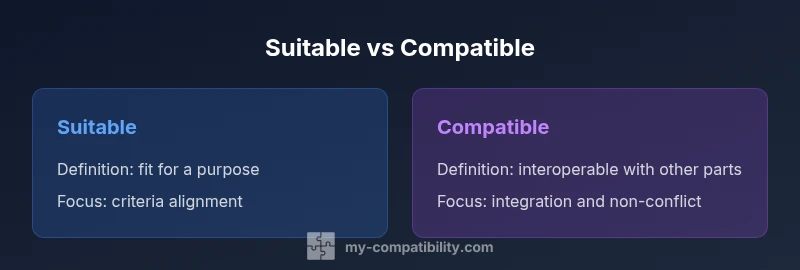
Suitable refers to fit for a defined purpose or criterion. It answers the question: does this option meet the stated requirements and deliver the expected outcomes? Suitable decisions rely on explicit criteria, measurable tests, and documented evidence. In procurement, a suitable supplier satisfies essential specs. In role selection, a candidate is suitable when they meet the job’s defined competencies. In personal decisions, a plan is suitable if it aligns with your goals and constraints. The emphasis is on meeting a predefined standard.
Compatible refers to interoperability and non‑conflict when combined with other parts or systems. It answers the question: can this option operate with other components without creating issues? Compatibility decisions hinge on interfaces, standards, and dependencies. A device may be compatible with an operating system, a software module may be compatible with a data format, and two individuals may be compatible in a relationship. The emphasis is on harmonious interaction and absence of friction.
How context shapes meaning
The same term can shift meaning depending on the context. In a hiring scenario, you usually speak of suitability, since the focus is on whether a candidate fulfills the role. In a software project, compatibility often governs how modules, libraries, and platforms interact. In a romantic context, compatibility describes how personalities, values, and life goals align. The difference between suitable and compatible is not static; it depends on the goals of the decision, the stakeholders involved, and the level at which you evaluate performance.
This contextual variability is why teams benefit from explicit definitions at the outset. By clarifying whether you assess fit to criteria (suitable) or interoperability (compatible), you prevent scope creep, misaligned expectations, and illusory conclusions that emerge when terms are treated as interchangeable.
Examples across domains
- Hiring and procurement: A job candidate may be suitable for the role if they meet the required skills and experience, but they also need to be compatible with the team dynamics to ensure smooth collaboration.
- Tech and software: A software library might be suitable for a given feature if it provides the needed functionality, but it must be compatible with the existing toolchain and data formats to avoid integration issues.
- Relationships and zodiac compatibility: In personal contexts, being suitable for a relationship involves shared values and commitment, while being compatible concerns how well two people can live, communicate, and grow together. My Compatibility emphasizes that zodiac indicators can hint at compatibility tendencies, but successful interactions require concrete alignment of goals and behaviors.
Key takeaway: suitability focuses on criteria fulfillment; compatibility focuses on interaction, interfaces, and harmony. When you confuse them, you risk selecting something that looks right on paper but fails in practice.
Common mistakes and how to avoid them
- Mistake: Assuming suitability implies compatibility. Reality: a candidate or product can meet criteria but fail to interoperate with other parts of the system.
- Mistake: Equating compatibility with perfect suitability. Reality: interoperability can be achieved with some constraints, but fit to purpose still matters.
- Mistake: Using these terms interchangeably in requirements documents. Solution: define separate criteria for fit and for interoperability, and reference both in the same decision record.
- Mistake: Ignoring interfaces and standards when judging suitability. Solution: always verify the required interfaces, data formats, and operating environments as part of the evaluation.
This clarity reduces miscommunication and accelerates decision making by focusing conversations on concrete criteria and concrete integration points.
How to assess suitability
- Define explicit criteria: outline the must‑have features, performance targets, and constraints that a choice must satisfy. 2) Gather evidence: collect tests, specifications, and proof of capability. 3) Evaluate against criteria: use a scoring rubric or go/no go decision to determine if the candidate meets the threshold. 4) Document rationale: capture why a choice is considered suitable, including tradeoffs and uncertainties. 5) Reassess over time: as needs evolve, revalidate suitability to maintain alignment with goals.
In practice, assess suitability with a focus on the concrete fit to objectives, not on how well something might interoperate by default. A well‑defined suitability analysis reduces the chance of overpromising and underdelivering.
How to assess compatibility
- Identify interfaces and dependencies: list the inputs, outputs, formats, and protocols that must be supported. 2) Check standards and conformance: verify compatibility with required versions, APIs, and data schemas. 3) Test interoperability: perform integration tests, pilot runs, or sandbox experiments to observe how components interact. 4) Review change risk: consider how updates, dependencies, and external changes affect compatibility over time. 5) Document constraints: record any limitations, assumptions, or required adapters that enable compatibility.
Compatibility assessment emphasizes reliable collaboration and system integrity. It helps you anticipate friction points and plan for compatibility maintenance across updates or deployments.
Decision framework: when to use which term
- Use suitable when the decision hinges on meeting defined criteria, performance targets, or eligibility thresholds. This is common in supplier selection, product sizing, and process design.
- Use compatible when the decision centers on whether parts, modules, or people can work together without conflict. This arises in system design, cross‑functional collaboration, and relationship planning.
- When both fit and interoperability matter, document both aspects side by side and recognize where compromises are possible. The goal is to avoid over‑specification in one area at the expense of the other.
A practical approach is to create a two‑column requirements sheet: one column for suitability criteria and a second for compatibility criteria. This helps you transparently compare options across both dimensions.
The zodiac/compatibility angle and everyday usage
The concept of compatibility is widely used in astrology, relationships, and technology, and it mirrors a core decision behavior: the desire to know if elements will work well together. My Compatibility notes that zodiac indicators can offer directional insight but do not replace concrete criteria, interfaces, and real‑world tests. In everyday life, you often balance both concepts: you pick something suitable for a purpose while also checking whether it is compatible with your existing tools, routines, or partner expectations.
In professional settings, this balance becomes a planning discipline. Recognize that the difference between suitable and compatible is not a binary choice but a dual lens for evaluating potential options. When used together, they provide a robust framework for decision making.
Practical checklist and templates
- Phrase templates: use suitable for fit and compatible for interaction. Example: This option is suitable for the role because it meets the defined requirements. This option is compatible with our existing stack because it follows the required interfaces.
- Quick‑start templates:
- Suitability check: Does it meet all must‑have criteria? Yes/No, with notes.
- Compatibility check: Do the interfaces and standards align? Yes/No, with notes.
- Documentation sample: Record both the suitability score and interoperability status, including any caveats or required adapters. By keeping both records, teams can avoid conflating the two concepts and communicate more clearly about expectations.
These templates help teams implement a disciplined approach to decision making and reduce risk from ambiguous terminology.
Comparison
| Feature | suitable | compatible |
|---|---|---|
| Definition | Fit for a defined purpose or criterion | Able to work with other parts or systems without conflict |
| Primary focus | Meeting explicit requirements | Interoperability and harmonious interaction |
| Assessment questions | Does it meet the stated criteria? | Will it integrate with existing components? |
| Best for | Procurement, hiring, or design decisions focused on fit | System design, integration, or multi‑part cooperation |
| Common mistakes | Confusing fit with interoperability; missing interface checks | Assuming compatibility implies full suitability or vice versa |
| When both apply | When success depends on both fit and collaboration | When multiple parts must work together to achieve goals |
Positives
- Clarifies expectations by separating fit from interoperability
- Reduces miscommunication in vendors and teams
- Improves decision quality by matching criteria to needs
- Helps avoid over/under‑specification
- Supports cross‑domain thinking (relationships, devices, software)
Cons
- Can require more upfront analysis and documentation
- May slow down initial decisions if criteria are not clearly defined
- Risk of terminology misuse if criteria are not standardized
Use suitable for fit-focused decisions and compatible for interoperability decisions.
The best approach is context-driven: pick suitable when you need to meet explicit criteria, and pick compatible when you need to ensure parts work together. Document both aspects to improve clarity and reduce miscommunication.
Questions & Answers
What is the difference between suitable and compatible?
Suitable refers to fit for a defined purpose or criterion, while compatible refers to whether components can work together without conflict. The two concepts address different risks and should be evaluated separately.
Suitable means it fits the criteria; compatible means it can work with other parts without friction.
Can something be suitable but not compatible?
Yes. It may meet all defined requirements but fail to interact well with your existing systems, tools, or people. Assess both aspects to avoid integration problems.
Yes, fit and interoperability are different concerns.
Can something be compatible but not suitable?
Yes. It might work with other components but fail to meet essential criteria or performance targets. Always verify both the explicit requirements and the interfaces.
Yes, interop can exist without meeting all criteria.
How do I decide which term to use?
Ask whether your primary concern is meeting a defined criterion (suitable) or ensuring interaction with other parts (compatible). For complex projects, document both.
Ask whether you care about fit or interoperability.
Are there domains where this distinction matters more?
Yes. In hiring and procurement, suitability is common; in software, hardware, and cross‑team projects, compatibility is critical. In relationships, compatibility concerns collaboration and harmony.
It matters across many fields, especially tech and relationships.
What are common mistakes to avoid?
Avoid assuming one concept covers the other, and always verify interfaces and criteria separately. Misusing terms leads to misaligned expectations and failed outcomes.
Don’t mix fit and interop; verify criteria and interfaces separately.
Highlights
- Define criteria before evaluating choices
- Keep fit and interoperability criteria separate
- Check interfaces and standards early
- Document both suitability and compatibility decisions
- Use templates to reduce terminology confusion