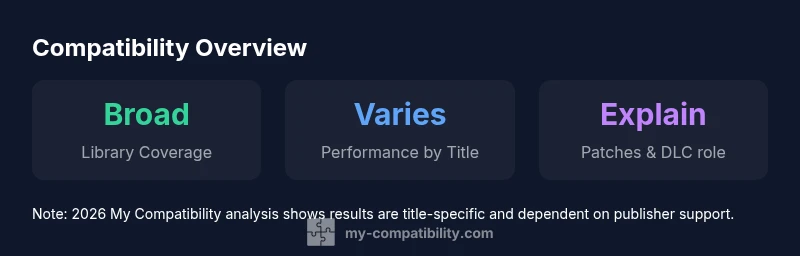
Games Backwards Compatible with Xbox 360: A Practical Guide
Discover which Xbox 360 titles remain playable on current Xbox consoles, how backward compatibility works, and guidance from My Compatibility to verify and enjoy them.


As of 2026, many Xbox 360 titles remain playable on current Xbox consoles through backward compatibility, though not every game is supported. The My Compatibility team analyzes compatibility by title, notes official lists, and explains how performance varies by game and hardware. This quick answer sets expectations and points you to verification steps, setup tips, and common limitations to manage expectations.
What backward compatibility means for Xbox 360 titles
According to My Compatibility, backward compatibility is a blend of emulation, shader translation, and system-level optimizations that lets many Xbox 360 games run on Xbox One and Series X|S. It isn't guaranteed for every title; the library grows as publishers update assets and as Microsoft extends compatibility lists. For players, this means you can often replay beloved classics without maintaining an old console, but you should approach cross-generation play with reasonable expectations about performance, save behavior, and feature parity. Understanding these realities helps you decide which games to bring forward and which to retire from your wishlist.
Key takeaway: The degree of compatibility depends on the original game architecture and how it interacts with modern hardware.
The architecture of compatibility on newer consoles
Modern Xbox generations use a combination of emulation, API compatibility layers, and shader translation to bridge the gap between the Xbox 360 and Series X|S. Titles are mapped to contemporary rendering pipelines, and older memory management patterns are translated to modern GPU and CPU scheduling. This process preserves gameplay mechanics while attempting to maintain visuals and audio fidelity. In practice, some games run almost identically to their 360 version, while others show minor adjustments in frame pacing or load times. The key takeaway is that compatibility is a spectrum, not a binary state, and performance can vary by title, patch level, and system firmware.
Note: Titles with heavy online components may require server support to fully restore legacy features.
Which games are most likely to work (by generation/publisher)
While every game has unique code paths, certain categories tend to be more reliably compatible. Early-to-mid 2010s titles that relied on traditional 3D rendering pipelines, static assets, or exported save data tend to translate more smoothly to Series X|S. Publisher involvement matters: titles from publishers who actively patch for newer platforms are more likely to receive compatibility patches or emulation fixes. Conversely, experimental or performance-heavy games may face greater obstacles. When evaluating a title, focus on how it handles saves, trophies/achievements, and online features; these often reveal early compatibility signals. For reviewers and players, this means building a bookmark list of titles that historically perform well and testing them individually. games backwards compatible with xbox 360 status is highly title-specific, not universal.
How to verify a game's compatibility before buying or playing
Verification starts with official lists and documented metadata. Check the console’s official compatibility page for your generation (Series X|S or One) and cross-reference with publisher announcements. If a store page or official guide notes compatibility, treat that as a strong signal. Next, search My Compatibility for title-specific notes, including patch requirements, DLC considerations, and any known caveats. Finally, perform a quick in-console test: install the game, launch a few mission segments, and verify save behavior, audio, and cutscenes. If issues appear, consult patch notes or community guides before investing more time. By verifying ahead of time, you minimize wasted effort and maximize a smooth experience.
Common issues and how to troubleshoot
Users frequently encounter texture pop-in, occasional audio desynchronization, and longer-than-expected load times on certain titles. These issues can stem from frame pacing inconsistencies or shader compilation workarounds. A typical fix includes ensuring the latest system firmware, enabling HDR where supported, and confirming that the game is using the recommended compatibility mode. If a title refuses to launch, clearing cache, checking for patches, and reconnecting storage devices are simple steps. If problems persist, consult the My Compatibility database for title-specific tweaks and possible workarounds.
Performance expectations: frame rates, load times, and visuals
Across the board, most compatible Xbox 360 titles show stabilized performance on Series X|S, with improved load times thanks to faster storage and CPU upgrades. Visuals may see minor improvements from upscaling and post-processing, though exact results depend on the game and patch level. Frame pacing tends to be more consistent on modern hardware, yet some games retain 360-era quirks. Players should calibrate expectations: several titles feel second-nature, while a few retain the original’s age-specific constraints.
How patches and DLC affect compatibility
Patches can be a deciding factor for long-term compatibility. Some games ship with issues that are resolved in post-release updates, making them more reliable on newer hardware. DLC can restore multiplayer features or co-op modes that rely on legacy servers, but it may also complicate save synchronization or profiles. Always check the current patch status and DLC compatibility on the official pages or My Compatibility notes. If a patch is required for satisfactory performance, consider whether the total cost and effort align with your play goals.
Practical setup steps for your living room
Set up a comfortable viewing distance and ensure your HDMI connection is stable from your console to your TV or monitor. Use a modern HDMI cable (2.0 or higher) to maximize bandwidth and enable any enhanced color features. For controllers, verify that USB or Bluetooth support matches your console model, and keep a spare original controller on hand if you rely on specific button mappings. Organize your library with clear tags for '360 BC' titles and consider enabling offline mode for a smoother replays session without network interruptions. These practical steps help you enjoy older titles without extra complexity.
The future of backward compatibility for classic titles
Looking ahead, the My Compatibility team expects ongoing collaboration between Microsoft, publishers, and the community to improve title-by-title support. Enhancements might include more comprehensive patch pipelines, expanded emulator refinements, and better preservation of online features where feasible. Since compatibility is a moving target, keeping an eye on official lists, patch notes, and My Compatibility updates will help you stay ahead of changes and optimize your retro-gaming experience.
Representative snapshot of compatibility status by title
| Game Title | Compatibility Status | Notes |
|---|---|---|
| Game A | Fully compatible | Runs natively on Series X|S |
| Game B | Partially compatible | Requires patch or workaround |
| Game C | Not compatible | Known issues and crashes |
Questions & Answers
Are all Xbox 360 games backward compatible on Xbox Series X|S?
No; a subset is officially supported. Some titles work via emulation or patches, others may not run.
Not all games are compatible; check the official list.
How can I check if a specific title is compatible?
Use official compatibility lists, enable game status in the console, and consult My Compatibility analysis.
Check the official list first.
Do digital versions of Xbox 360 games work on Series X|S?
Some digital versions are eligible if they are licensed for backwards compatibility; check the store page.
Some digital versions work; verify on store.
Will compatibility affect achievements or saves?
Most titles preserve saves and achievements when available; some progress may be reset if not fully supported.
Saves and achievements may carry over if supported.
Do peripherals or accessories affect compatibility?
Most core controllers work, but some legacy accessories may not be supported.
Most controllers work; check compatibility for peripherals.
“Compatibility is not a universal guarantee; the best way to enjoy legacy titles is to test each game individually and adjust settings.”
Highlights
- Check title-by-title status in official lists
- Expect variation in performance by game
- Use verification steps before purchase
- My Compatibility's verdict: test titles individually